Hex to Binary Conversion Explained Simply
Updated on April 29, 2026
Hex to binary conversion is the process of changing a number from the hexadecimal system (base-16) to the binary system (base-2). While humans often use hexadecimal to make long strings of numbers easier to read, computers ultimately process all information using binary, which consists only of 0s and 1s.
What is Hexadecimal and Binary?
The hexadecimal system uses sixteen symbols: the numbers 0-9 and the letters A-F (representing 10-15). The binary system uses only two symbols: 0 and 1. Because 16 is a power of 2 (2 to the 4th power), exactly four binary digits correspond to one hexadecimal digit. This mathematical relationship makes it very simple to switch between the two systems.
Expert Math Tutors for Every Level
Connect with professional and certified educators who provide specialized support for every grade level, from elementary school basics to advanced algebra
How to Convert Hex to Binary
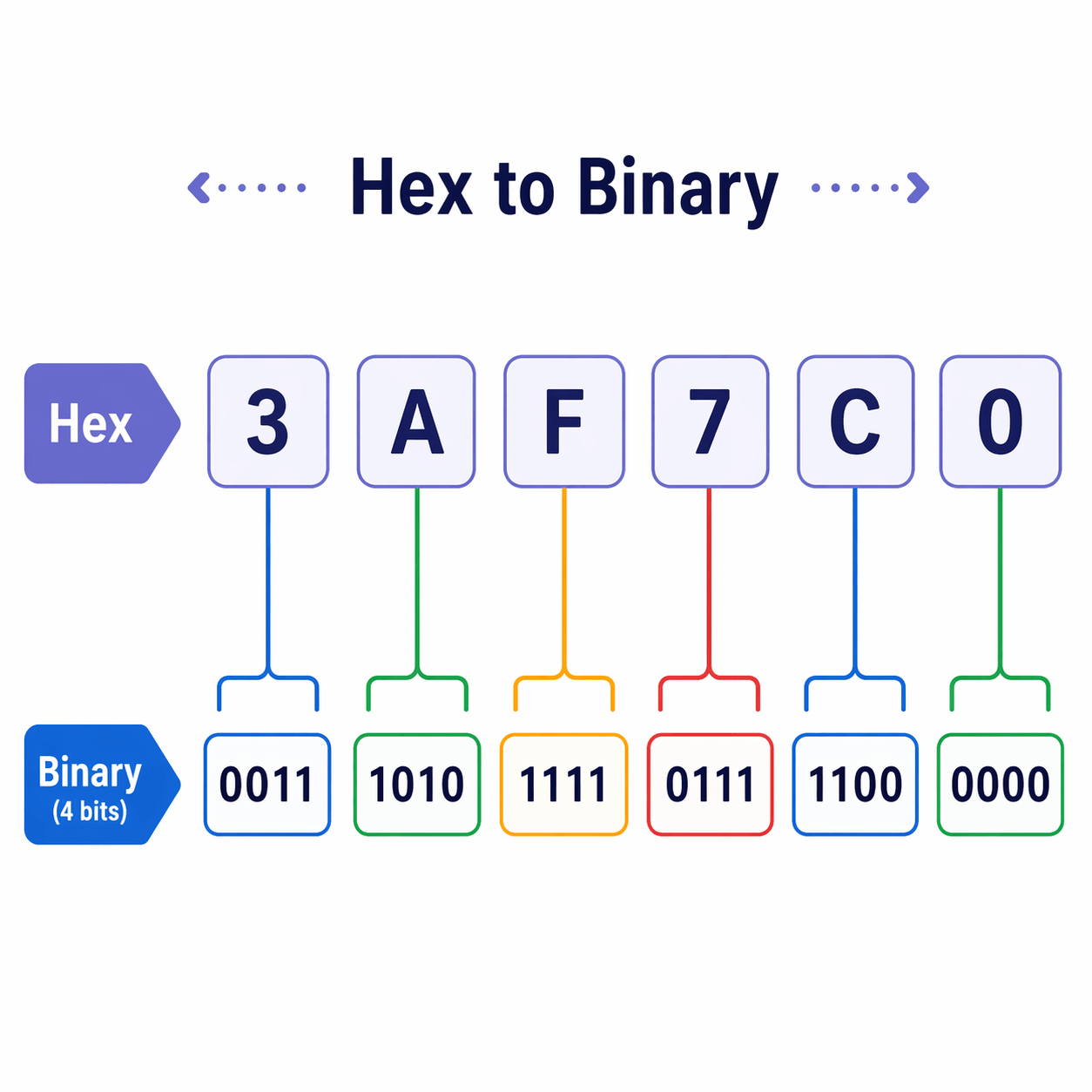
To convert any hexadecimal number to binary, follow these simple steps:
- Separate the hexadecimal number into its individual digits.
- Look up the 4-bit binary equivalent for each digit using a conversion table.
- Combine the groups of 4 bits back together to form the final binary number.


Help your child reach their full potential!
Answer a few quick questions about your child’s learning, and we’ll recommend next steps.
Hex to Binary Conversion Table
| Hex Digit | Binary (4 bits) |
| 0 | 0000 |
| 1 | 0001 |
| 2 | 0010 |
| 3 | 0011 |
| 4 | 0100 |
| 5 | 0101 |
| 6 | 0110 |
| 7 | 0111 |
| 8 | 1000 |
| 9 | 1001 |
| A | 1010 |
| B | 1011 |
| C | 1100 |
| D | 1101 |
| E | 1110 |
| F | 1111 |
Examples of Conversion
Example 1: Convert 2A to Binary
First, separate the digits: 2 and A. Looking at the table, 2 is 0010 and A is 1010. When you put them together, the hexadecimal number 2A becomes 00101010 in binary.
Example 2: Convert F5 to Binary
Separate the digits: F and 5. From the table, F is 1111 and 5 is 0101. Combining these gives you the binary value 11110101.
Why Do We Use Hex?
Hexadecimal is much more compact than binary. A single hex digit can represent four binary bits (also called a nibble), and two hex digits represent eight bits (a byte). This makes it much easier for programmers and engineers to read memory addresses, color codes (like \#FFFFFF for white), and other complex computer data without getting lost in a long string of 0s and 1s.


Math & reading from 1st to 12th grade
Looking for homework support for your child?

Choose kid's grade

Math & Reading for Grades 1–12
Build real confidence for your child with a Brighterly math or reading tutor.