Best Spelling Apps for Kids in 2026: Free & Paid Picks K-12
reviewed by Janice S. Armas
Updated on August 14, 2026
Key points:
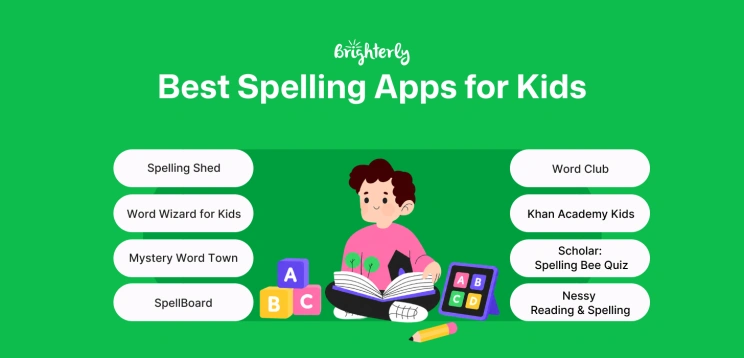
- Brighterly is a web-based alternative to the self-paced apps on this list, pairing live 1:1 spelling tutoring with free spelling and reading worksheets.
- Word Club and Scholar: Spelling Bee Quiz both build high-level vocabulary in a competitive format — Word Club is free for Grades 1-8, while Scholar is best suited to Grades 8-12.
- ABC Spelling, Khan Academy Kids, and Sight Words & Spelling Reading are free resources that focus on early literacy and letter recognition.
- SpellBoard, Squeebles Spelling Connect, and Word Wizard let you build custom word lists that match your child’s weekly school homework.
- Spelling Shed and Mystery Word Town turn spelling practice into games kids actually want to keep playing.
- Nessy Reading & Spelling and Simplex Spelling Phonics 1 focus on structured, multisensory phonics, making them a strong fit for struggling readers.
A good spelling app turns a weekly word list into five or ten minutes of practice a child will actually finish. This guide compares 10+ of the best spelling apps for kids in Grades PreK-12 — free and paid — on grade range, features, current pricing, and what each one genuinely does best. Every price below was re-checked against official app store and vendor pages in August 2026.
Best Spelling Apps for Kids: Free and Paid Compared
|
|
Age group |
Best for |
Free version |
Cost (as of August 2026) |
|
Brighterly |
Grades 1-12 |
Students who need a teacher’s feedback and a full reading foundation, not just self-paced drills |
❌ |
From $17.70/lesson (12-month plan, 2 lessons per week, 20% discount applied). Free demo lesson, worksheets, and tests |
|
Spelling Shed |
Grades K-6 |
A school-style weekly spelling scheme wrapped in competitive games |
✅ |
Free tier available; Premium home plan $4.99/month or $29.99/year for up to 5 children. Standalone mobile app: $2.99 |
|
Word Club |
Grades 1-8 |
Spelling bee prep on the official Scripps ‘Words of the Champions’ list |
✅ |
Free — all 4,000 study words included, no ads |
|
Nessy Reading & Spelling |
Grades 1-6 |
Struggling readers who need structured, dyslexia-friendly lessons |
❌ |
From $13.50/month per child, or $126/year per child (discount grows with more children) |
|
Word Wizard |
Grades PreK-5 |
Experimenting with sounds on a talking movable alphabet |
❌ |
Free to download. $0.99/month or $7.99 one-time to unlock forever (free + in-app purchases) |
|
Squeebles Spelling Connect |
Grades K-6 |
Early elementary kids who stay motivated by collecting rewards |
❌ |
From $2.99 / month for up to four children, after a 7-day free trial |
|
ABC Spelling – Spell & Phonics |
Pre-K – 1st grade |
Toddlers and preschoolers who are just starting to recognize letters |
✅ |
Free |
|
Pre-K – 2nd grade |
A free, high-quality learning path that covers far more than spelling |
✅ |
Free, online and offline |
|
|
Scholar: Spelling Bee Quiz |
Grades 8-12 |
Students who want to stop making common spelling mistakes |
✅ |
Free and ad-supported; optional Scholar Plus removes ads for $0.99/month or $9.99/year |
|
Simplex Spelling Phonics 1 |
Grades 1-2 |
A budget-friendly, ad-free ‘tutor in an app’ built on reverse phonics |
❌ |
$4.99 one-time purchase (iPhone and iPad only) |
|
Mystery Word Town |
Grades 1-6 |
Reluctant learners who need practice hidden inside an adventure |
❌ |
$3.99 one-time purchase (designed for iPad) |
|
Sight Words & Spelling Reading |
Pre-K – 3rd grade |
Early readers memorizing words that don’t follow phonics rules |
✅ |
Free |
|
SpellBoard |
Grades 4-6 |
Busy parents turning this week’s school list into quizzes and puzzles |
❌ |
$4.99 one-time purchase, with optional in-app purchases |
Exploring alternatives?

* All statements and evaluations in this article come from official app pages and vendor pricing pages, and from user reviews published on platforms such as the App Store, Reddit, and Trustpilot in 2025-26.
Explore Brighterly Learning Experience
Learn exactly how Brighterly helps students thrive through expert sessions, online tools, and proven feedback from thousands of satisfied parents
#1 Brighterly — Live Spelling Tutoring
Age group: Grades 1-12
Best for: Families who need online spelling tutor support for instruction and better comprehension on top of phonics practice in a self-paced spelling app.
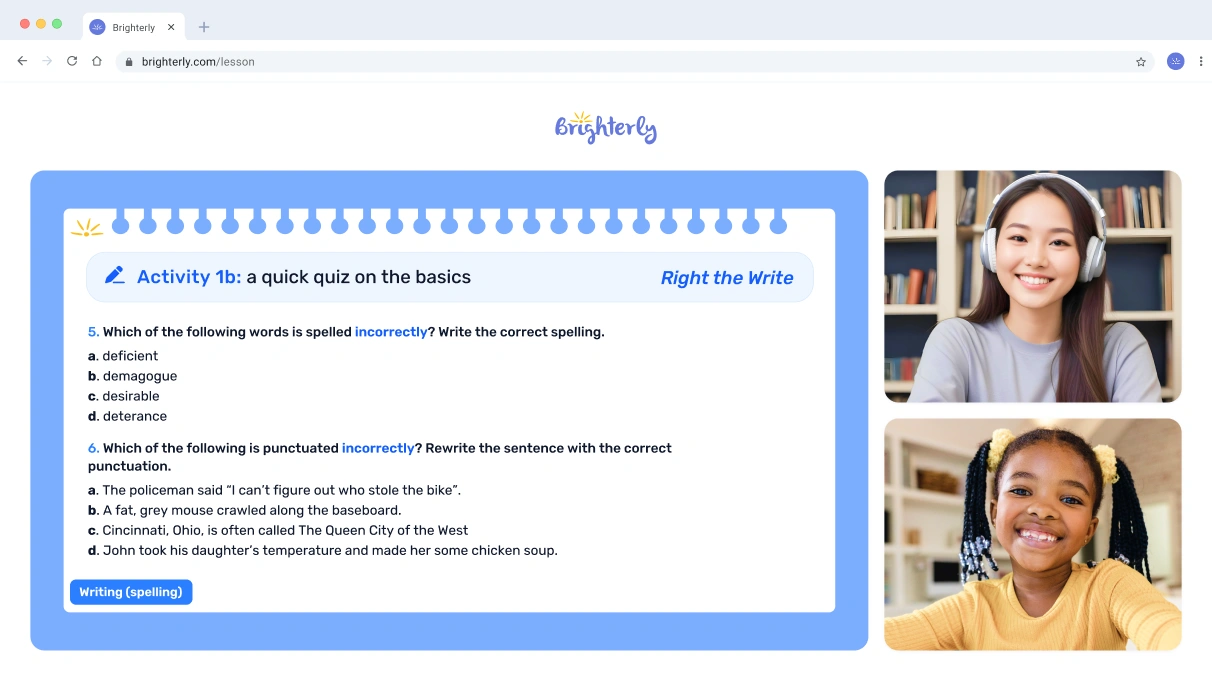
Brighterly tutors design each learning program around a child’s strengths and areas for improvement, teaching spelling and reading through lessons fully aligned with US state standards.
Features
- Dedicated tutoring practice: We hire certified spelling coaches who help kids improve in their phonics practice at home, providing instant feedback and encouragement.
- Comprehensive reading and spelling curriculum: Kids can enroll in our online reading program that is grounded in a foundation-first approach and aligned with US state standards.
- Free materials for home practice: You can get spelling and reading worksheets for free anytime from the website.
Pricing
We offer a flexible subscription-based model with prices starting from $17.70 per lesson (12-month plan, 2 lessons/week, 20% discount applied).


See How Our Reading Tutoring Works!
Start a reading tutoring program or test the free demo lesson
Pros and Cons
In Brighterly reviews, parents frequently acknowledge helpful tutors and real improvements at school.
|
Pros |
Cons |
|
🟢 Live 1:1 sessions with expert spelling tutors |
🔴 Higher cost compared to self-paced apps |
|
🟢 Plenty of free materials |
🔴 Needs a stable Internet connection |
|
🟢K-12 spelling program for kids |
#2 Spelling Shed Apps to Practice Spelling Words
Age group: Grades K-6
Best for: Families who want an all-in-one school program that feels more like a fun video game than homework.
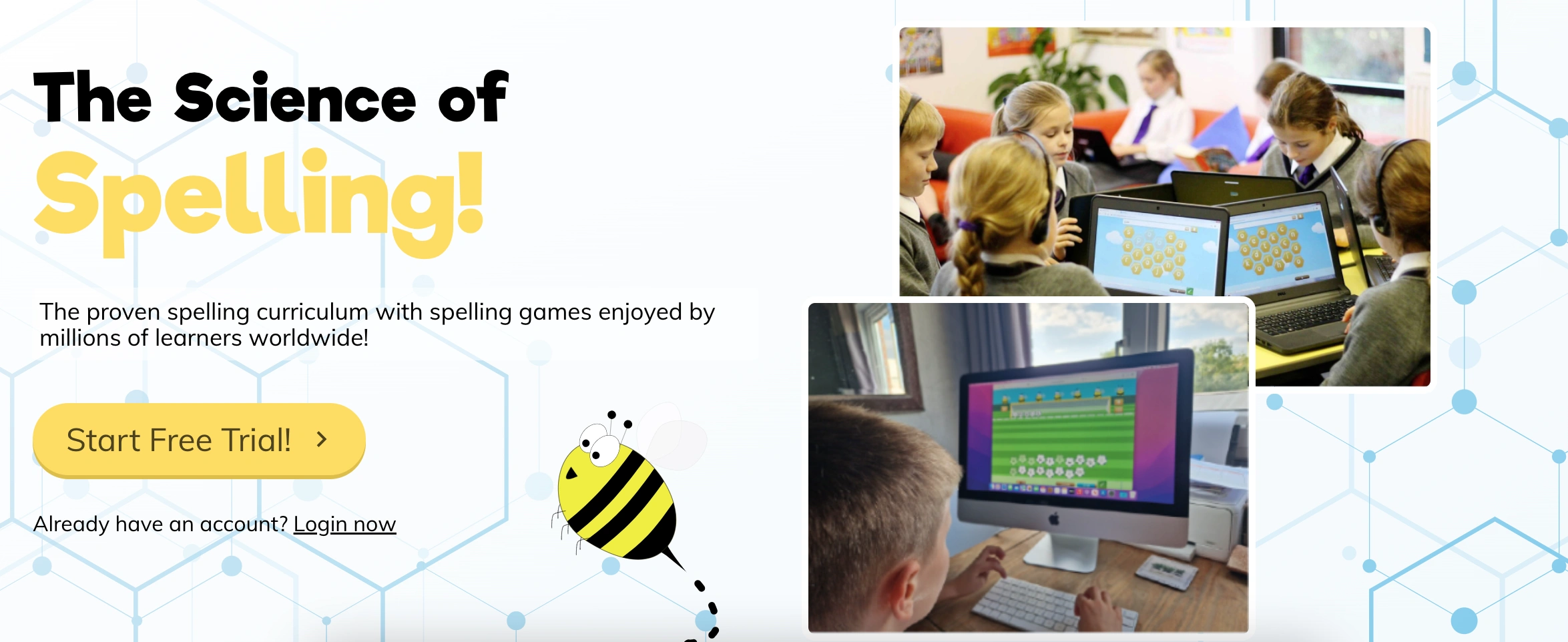
Spelling Shed is an award-winning platform built on the ‘Science of Reading’. It uses a clever ‘mastery zone’ where a little AI ‘Nano Bee’ tracks your kid’s progress. Be it on an Android tablet or an Apple iPad, they can play Hive games to compete with friends or practice solo. One con is that the screen can feel a bit busy and distracting for some younger children who might lose focus.
Features
- Uses AI-powered tools to target specific spelling gaps automatically
- It’s among the good spelling apps for kids due to over one million pre-made word lists available
- Detailed parent reports to track weekly growth
Pricing
Spelling Shed offers a free tier plus a paid Premium home plan for $4.99 per month or $29.99 per year, covering up to five children (as of August 2026). There’s also a standalone mobile app for $2.99. The free tier limits history and reporting to seven days, so progress tracking is the main reason to upgrade.
Pros & Cons
As shown by the reviews, the app is affordable for large families.
|
Pros |
Cons |
|
🟢 Supports custom school lists |
🔴 Interface is somewhat cluttered |
|
🟢 Strong phonics-based curriculum |
🔴 Setup takes some parent time |
Regarding drawbacks, keep in mind the sensitivity of competitive pressure (in games like World League and Shed Score).
#3 Word Club Spelling App for Kids
Age group: Grades 1-8
Best for: Students interested in a school spelling bee prep or advanced spellers who want to master ‘Words of the Champions’.
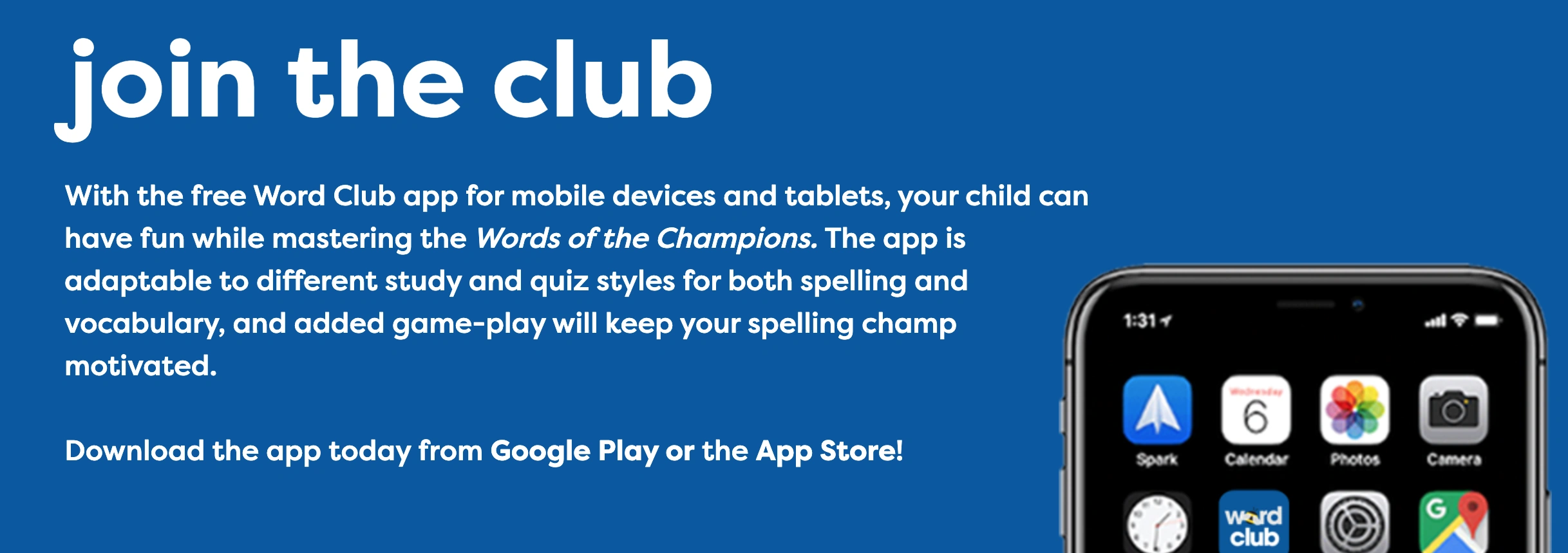
Word Club is the Scripps National Spelling Bee preparation tool. It provides the actual ‘Words of the Champions’ list, so you know your kiddo is studying the right material. It also offers five different spelling play modes where kids can use tools like flashcards and fill-in-the-blank quizzes. Because it’s linked to Merriam-Webster, the pronunciations are perfect, though it lacks the flashy animations of some other apps.
Features
- Official 4,000-word Scripps study library
- Totally ad-free and safe for all ages
Pricing
Free.
Pros & Cons
Parents appreciate that it encourages independence in their kids, but for some beginners, it can still be too challenging.
|
Pros |
Cons |
|
🟢 Authentic pronunciations |
🔴 Too simple graphics |
|
🟢 Curated by experts |
🔴 No rewards-based ‘game’ world |
#4 Nessy Reading & Spelling
Age group: Grades 1-6
Best for: Parents interested in dyslexia-friendly spelling practice or any student who needs a gentle yet super-structured way to catch up.
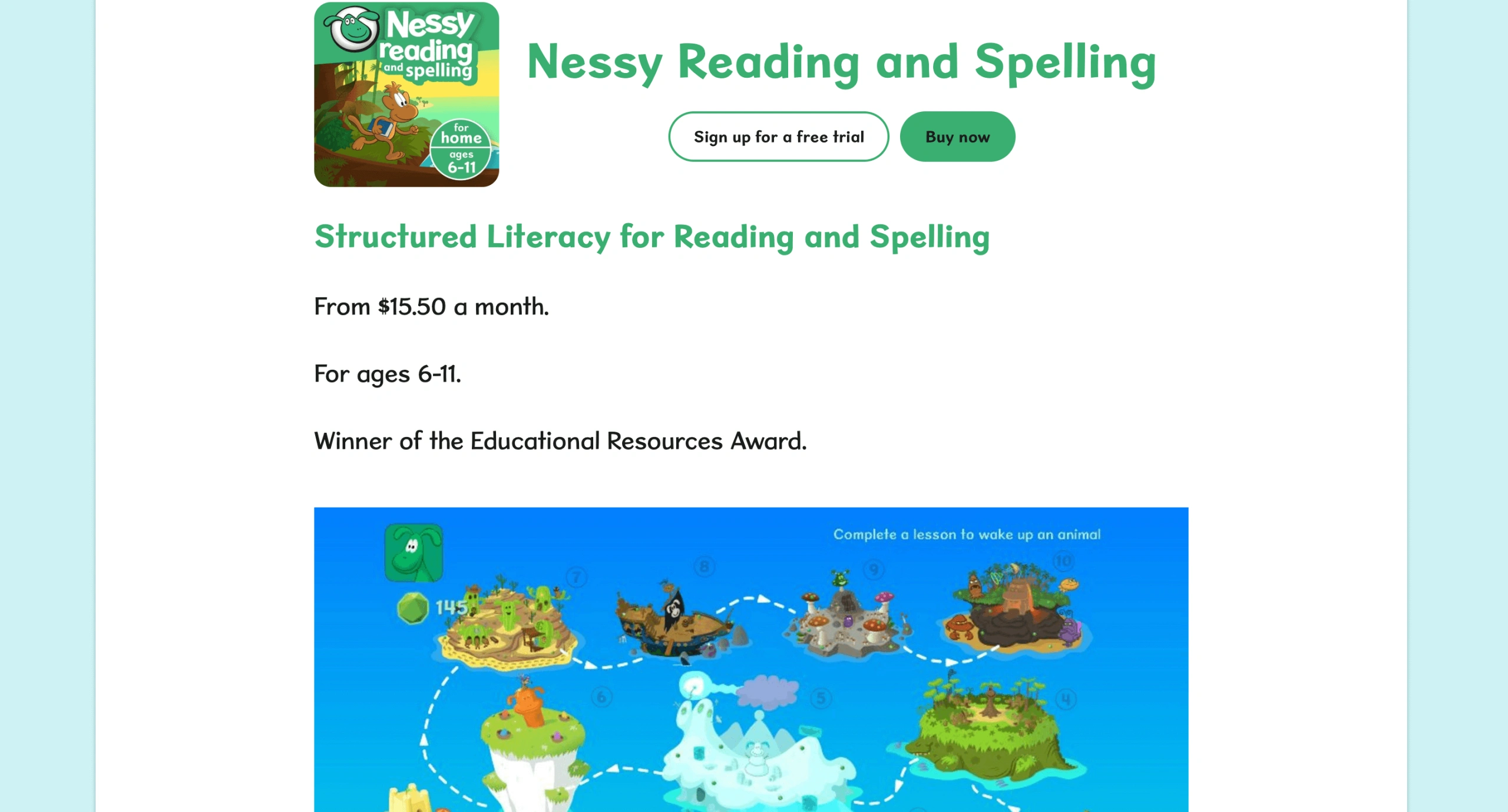
Nessy is probably the most heartwarming and effective among spelling apps for kids with dyslexia, but honestly, any child can benefit from its ‘Multisensory’ approach. It uses funny videos and quirky characters to explain confusing English rules. First, your kiddo starts with the ‘Nessy Challenge’ to find their level. And then, they proceed to earn ‘Nessy Nuggets’ for virtual trophies.
Features
- 100 structured lessons covering phonics, vocabulary, etc.
- Developed by world-leading dyslexia specialists
- 1,000s of printable worksheets and card games
Note: For children who struggle with the physical act of writing while learning to spell, you may also find the list of the best handwriting apps for kids useful.
Pricing
Nessy is one of the pricier picks on this list, with the Home subscription starting at $13.50 per month per child (as of August 2026). Paying for a full year upfront brings the price down to $126 per child — about 22% cheaper than paying monthly — and the per-child rate drops further with more children on the same plan (from $120.25 down to $112.50 per child for up to five kids).
Pros & Cons
On TrustPilot, users say that although it’s very good for struggling readers, it’s more accurate for younger elementary ages.
|
Pros |
Cons |
|
🟢 Very funny and memorable videos |
🔴 Graphics have a ‘retro’ look |
|
🟢 Logical and step-by-step progression |
🔴 Slower pace than arcade games |
#5 Word Wizard
Age group: Grades PreK-5
Best for: Parents who want a creative and practical tool to help kids experiment with sounds.
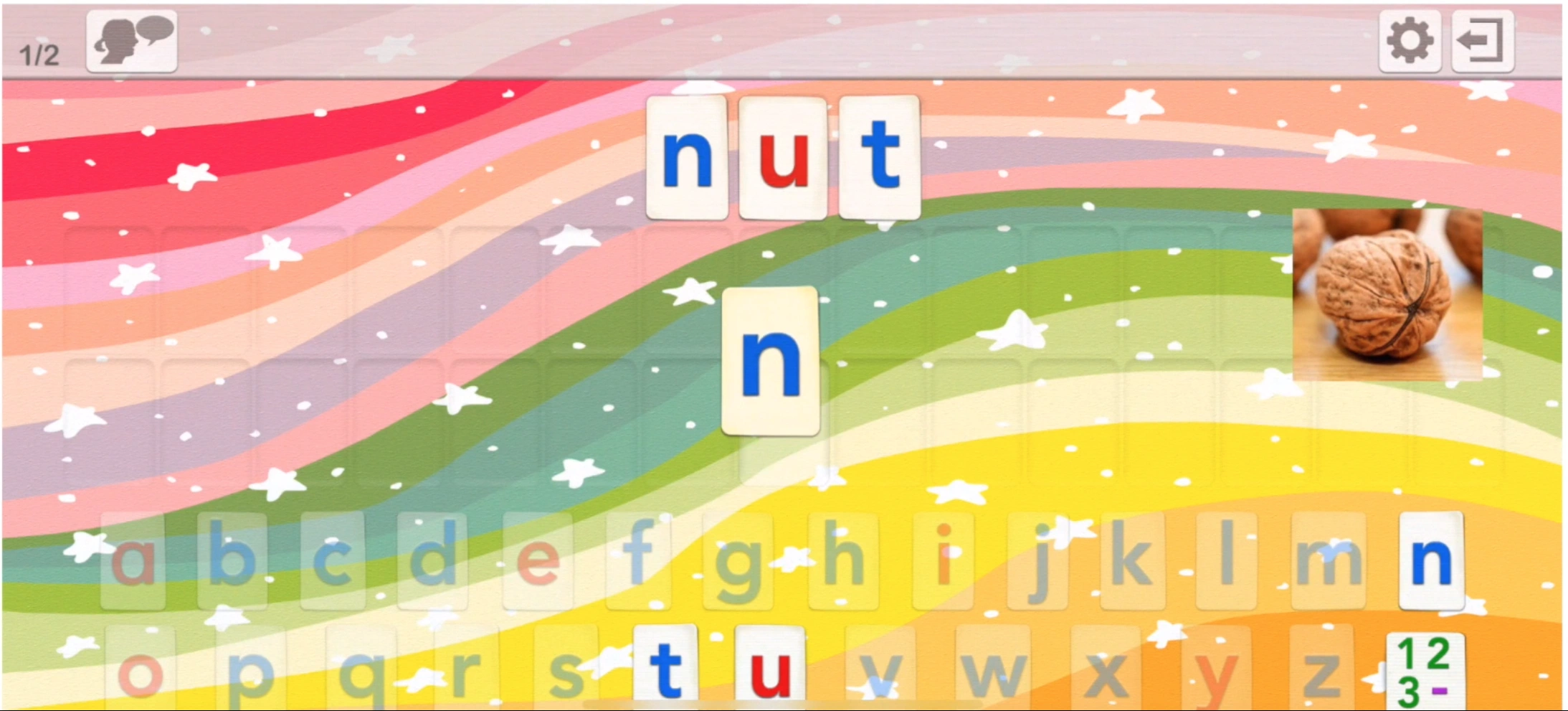
Word Wizard for Kids is good for youngsters because it uses an advanced text-to-speech engine to pronounce any word or sentence they build. Here, you can even create custom spelling tests with your own family photos! It’s a favorite in schools because it supports multiple accents and high-contrast modes for kids with vision needs. However, the robotic voice can occasionally mispronounce very unique names or slang.
Features
- 200 built-in customizable word lists
- 4 keyboard types, including QWERTY and alphabetical
- Detailed progress reports for multiple student profiles
Pricing
Word Wizard for Kids is free to download, with a $0.99/month subscription or a $7.99 one-time “Unlock Forever” purchase to remove the trial limits (as of August 2026). A separate School Ed version is sold as a straight paid app if you’d rather buy once for a classroom.
Pros & Cons
Users like Word Wizard for customizable letter sizes and high-contrast themes.
|
Pros |
Cons |
|
🟢 Multiple US and UK voices |
🔴 Requires manual setup for lists |
|
🟢 No ads or data collection |
🔴 Interface looks slightly dated |
As for drawbacks, some Word Wizard reviewers admit a lack of game-based motivation.
Help Your Child Reach Their Full Potential!
Answer a few quick questions about your child to see the next steps.
#6 Squeebles Spelling Connect
Age group: Grades K-6
Best for: Early elementary kids who love collecting rewards.
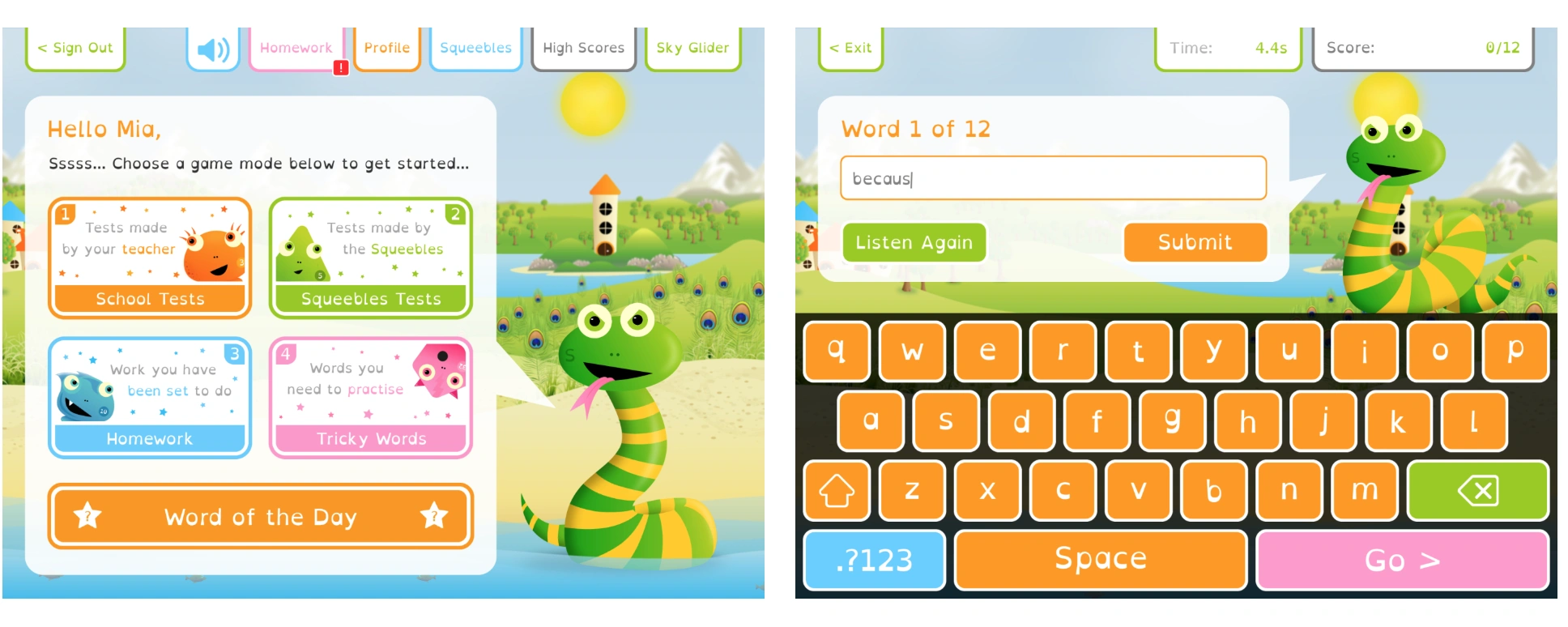
Squeebles Spelling Connect – the modern successor to the classic ‘Test’ app – remains a favorite for elementary students. To motivate kids, this spelling app for 2nd graders, in particular, uses the famous Squeeble characters. As kids pass tests, they rescue these quirky creatures from such villains as the Spelling Snake or the Grammar Ghost.
Features
- Over 160 pre-made spelling lists and 8,500+ pre-recorded words
- ‘Tricky Words’ mode automatically tracks and re-tests missed words
- Personalized settings, including ‘OpenDyslexic’ font and semi-opaque colored overlays (for kids struggling with visual stress)
Pricing
Squeebles Spelling practice app offers a 7-day free trial for new families. After the trial, a subscription for up to four children starts from $2.99 per month (as of August 2026).
Pros & Cons
Reviews acknowledge the absence of third-party ads or pop-ups in Squeebles Spelling, but the interface is still not user-friendly enough.
|
Pros |
Cons |
|
🟢 Progress syncs across all devices |
🔴 Audio recording not available on the web |
|
🟢 Motivates with cute Squeeble rewards |
🔴 Some words follow British spelling |
#7 ABC Spelling – Spell & Phonics
Age group: Pre-K – 1st grade
Best for: Toddlers and preschoolers who are just starting to recognize letters and need a bright and ad-free space to play and learn.
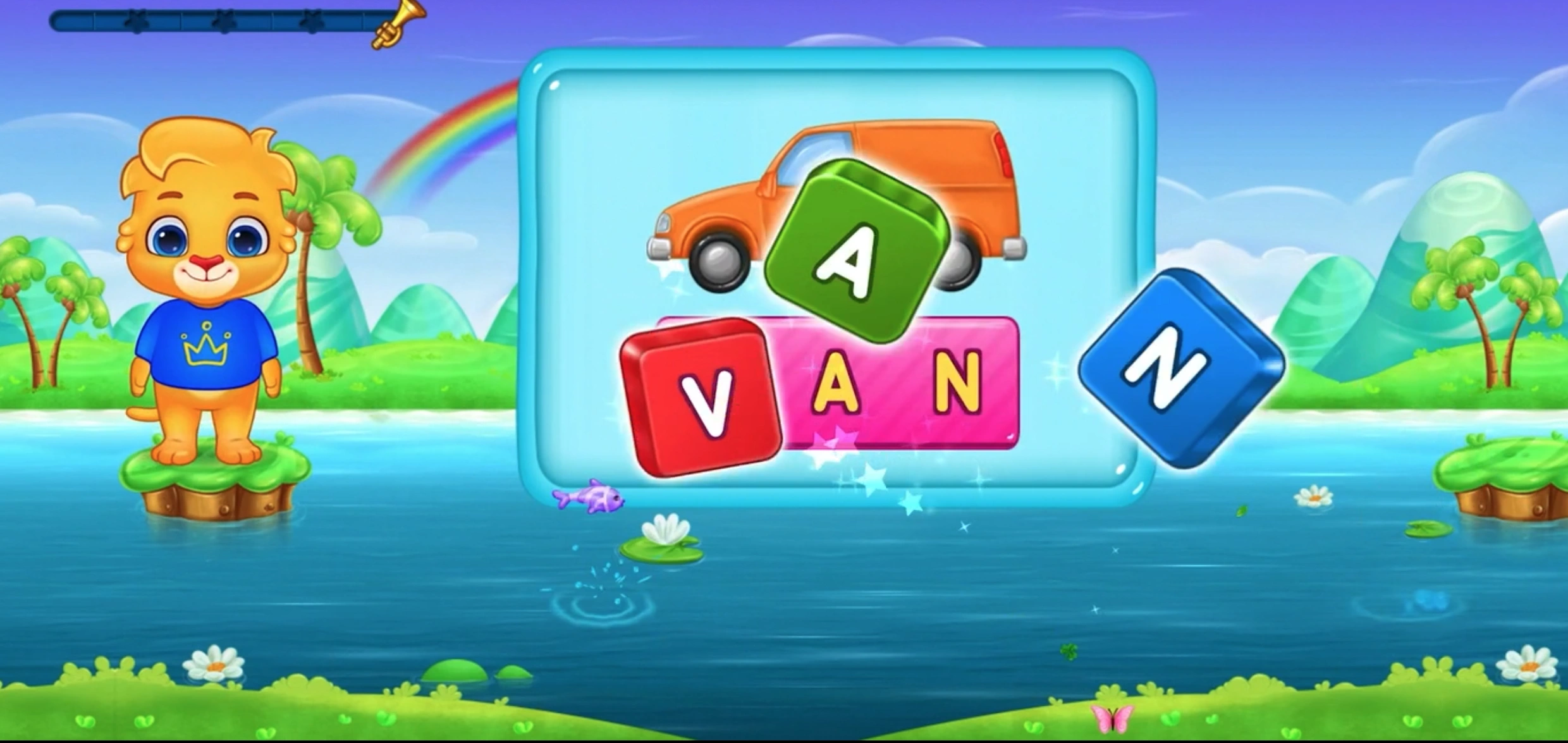
ABC Spelling is a free service, filled with bright animations and friendly characters like Lucas and Ruby. It’s one of the best spelling apps for kids, featuring three main modes: simple word building, jumbled letters, and a ‘blank’ mode for advanced practice. It mostly focuses on short and simple words, so older elementary kids might outgrow the content quite quickly.
Features
- Colorful stickers and rewards to celebrate success
- Parent-only settings to customize the word difficulty
Pricing
ABC Spelling is among the best free spelling apps for kids.
Pros & Cons
Parents report kid-friendly animations, but note that phonetic blending can sometimes be inconsistent.
|
Pros |
Cons |
|
🟢 Very simple and easy to use |
🔴 Too easy for older kids |
|
🟢 Good for very young beginners |
🔴 No custom word list feature |
#8 Khan Academy Spelling App for Kids
Age group: Pre-K – 2nd grade
Best for: Parents who want a completely free yet high-quality learning program that covers much more than just spelling.
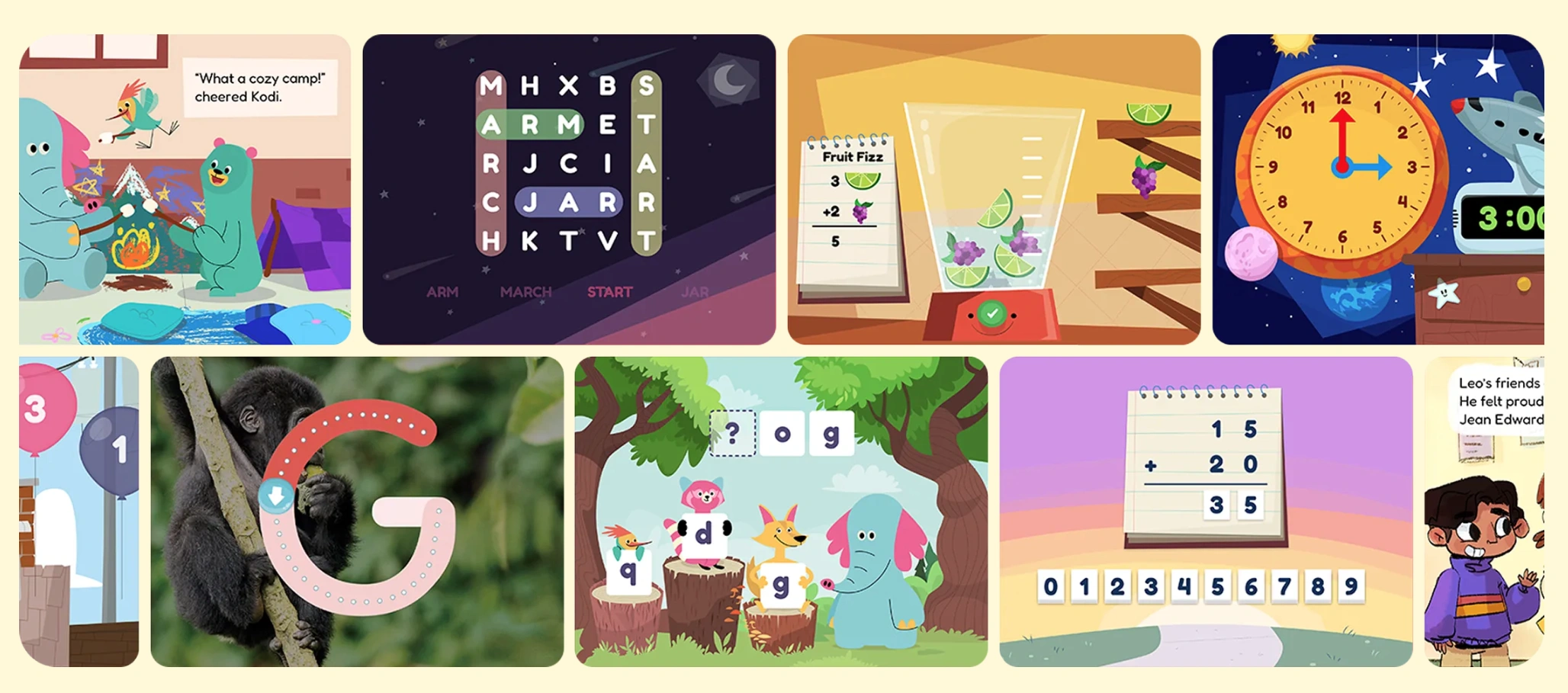
Developed by Stanford experts, Khan Academy Kids features a cast of five adorable animal friends who lead children through thousands of interactive activities. In the spelling and phonics section, you’ll find catchy songs and tracing games. However, it doesn’t offer specialized spelling drills for older elementary students.
Features
- A decent library of books and creative drawing tools
- Parent tools to track progress and assign specific lessons
Pricing
The app offers free access both online and offline.
Pros & Cons
On Trustpilot, parents of kids aged 2 to 8 compliment Khan Academy Kids, while parents of older children find it insufficient.
|
Pros |
Cons |
|
🟢 High-quality animation |
🔴 Not spelling-exclusive |
|
🟢 Trusted by teachers |
🔴 No custom lists |
#9 Scholar: Spelling Bee Quiz
Age group: Grades 8-12 (13+ per App Store rating)
Best for: Older kids and teens who want to stop making common spelling mistakes and improve their writing for school.
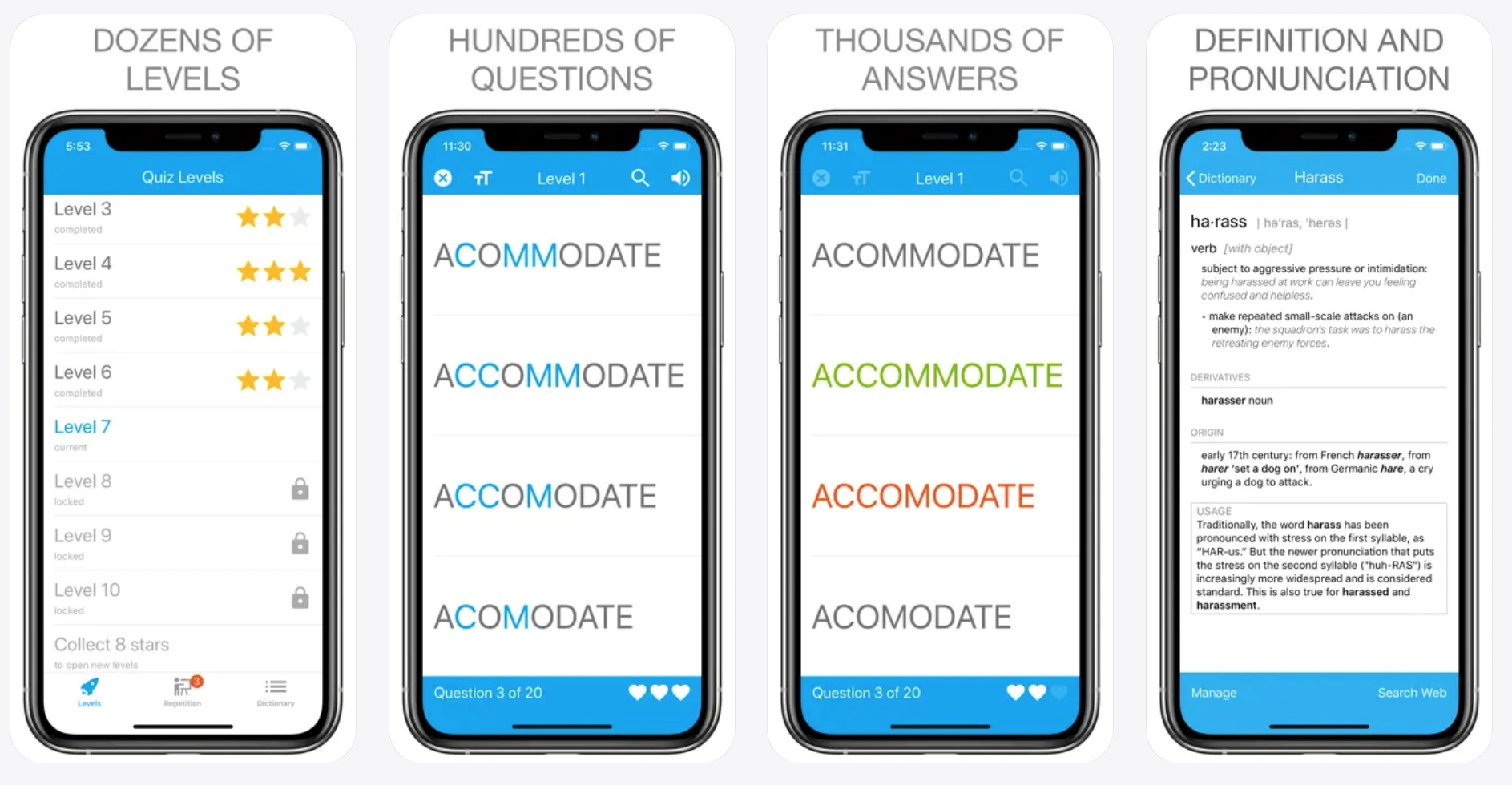
Scholar: Spelling Bee Quiz has a competitive vibe of playing against friends in multiplayer mode. It’s better for older kids who love a good challenge and want to test their mettle. It also skips the ‘babyish’ cartoons to focus on academic success and vocabulary building. But mind that the free version includes ads.
Features
- Realistic spelling bee game mode with clear audio
- Built-in dictionary to check definitions and word origins
- Covers over 1,000 words across multiple difficulty levels
Note: Combine digital quizzes with high-level techniques to help kids with spelling for long-term retention.
Pricing
Free and ad-supported, with an optional Scholar Plus upgrade for $0.99/month or $9.99/year that removes ads and unlocks full dictionary access and level statistics (as of August 2026). The developer states the free version serves Google ads and can’t fully guarantee they’re suitable for children under 12 — worth checking before handing it to a younger child, or considering the ad-free upgrade..
Pros & Cons
User reviews on Scholar highlight a global leaderboard for friendly competition, but find phonics lessons incomplete.
|
Pros |
Cons |
|
🟢 Good for competition |
🔴 Minimalist design |
|
🟢 Global rankings |
🔴 No ‘fun’ characters |
#10 Simplex Spelling Phonics 1
Age group: Grades 1-2
Best for: Parents who want a budget-friendly ‘tutor’ in an app.
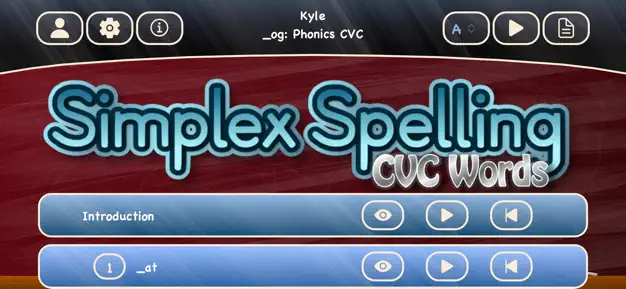
Simplex Spelling Phonics 1 uses a unique ‘reverse phonics’ approach. It means it teaches them how to build words sound by sound and, therefore, understand the logic behind English spelling rules. It’s one of the best spelling game apps for kids because it covers a full year of curriculum and includes over 450 high-frequency words. However, its very plain interface might not hold the attention of kids who are more into flashy stuff.
Features
- 42 instructional lessons covering a full year of spelling
- Detailed progress reports you can export and review
Pricing
It’s a one-time purchase of $4.99 on the App Store (as of August 2026).
Pros & Cons
Large families appreciate the multi-user support (of up to 40!) but lack custom lists.
|
Pros |
Cons |
|
🟢 Strong phonics focus |
🔴 iPad/iPhone only |
|
🟢 Educational accuracy |
🔴 No ‘fun’ games |
#11 Mystery Word Town Spelling App for Kids
Age group: Grades 1-6
Best for: Unwilling learners who need their spelling practice ‘hidden’ inside an exciting adventure.
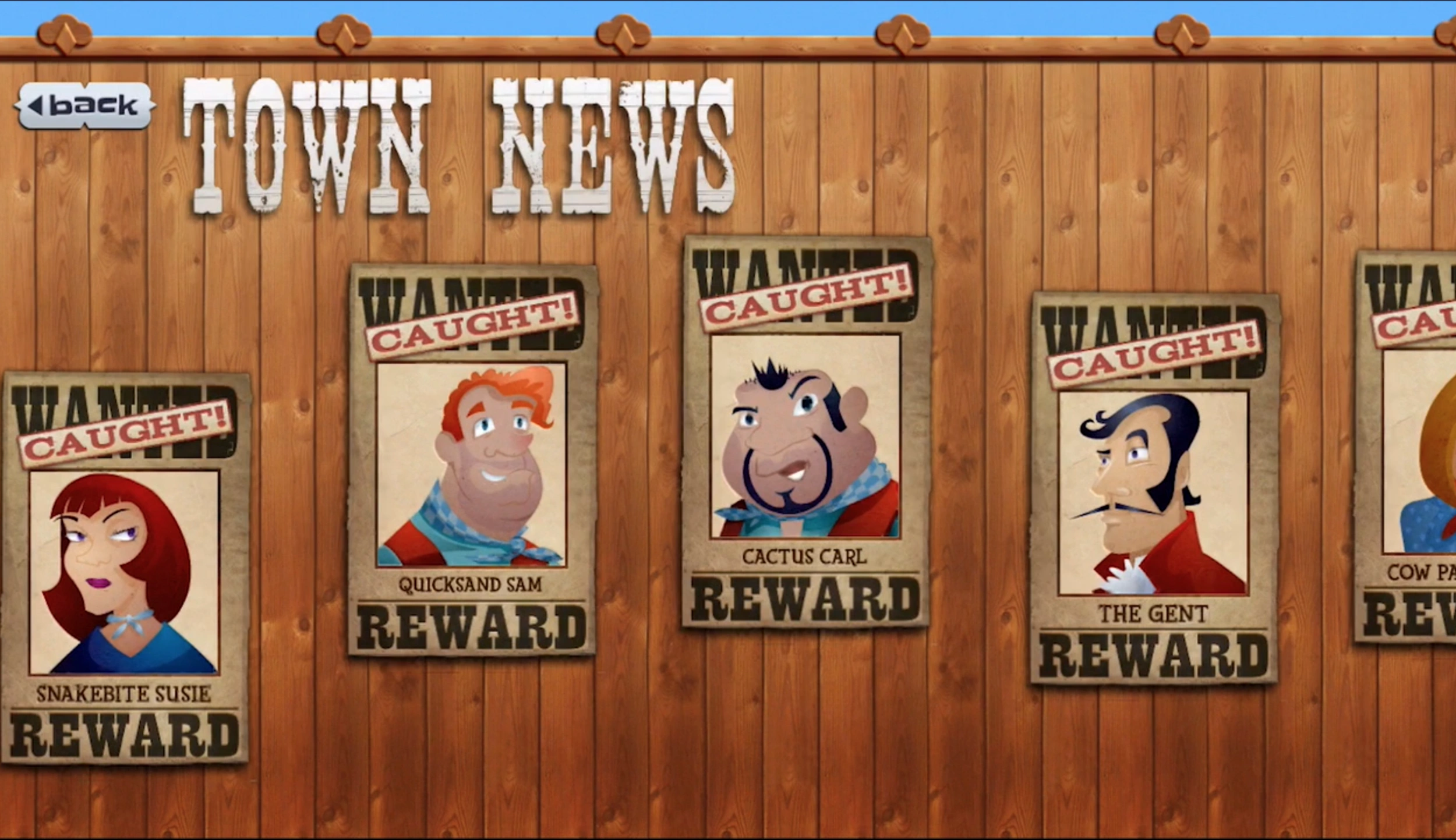
Mystery Word Town engages your child in a captivating Wild West adventure. There, they become deputy ghosts that help the sheriff capture outlaws. To solve puzzles and catch the bad guys, kids must use their spelling skills. Plus, you can use the teacher-approved word lists included or record your own voice for custom ones.
Features
- Among spelling games for kids, yet with three skill levels based on Fry and Dolch sight words
- Includes multiple user accounts for large families to track progress
Pricing
One-time purchase – just $3.99 (as of August 2026).
Pros & Cons
User reviews mention learning with visual and audio hints for complex words as a major pro, and a slower gameplay pace on the other hand.
|
Pros |
Cons |
|
🟢 Very immersive |
🔴 Older graphics style |
|
🟢 Good for sight words |
🔴 Interface takes learning |
#12 Sight Words & Spelling Reading
Age group: Pre-K – 3rd grade
Best for: Early readers who need to memorize those tough words that don’t always follow the rules of phonics (like, the, said, could, etc.)
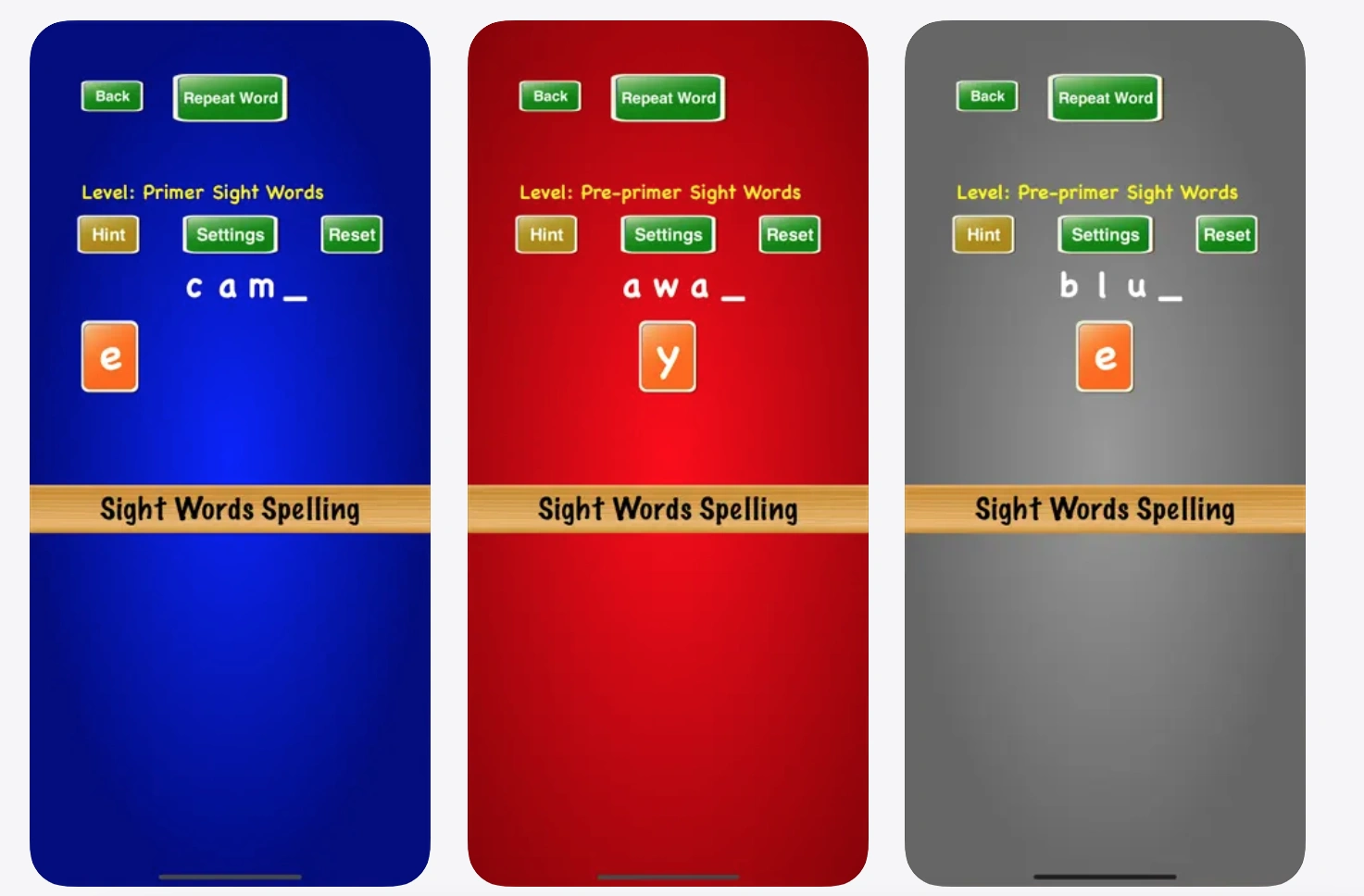
With Sight Words & Spelling Reading (by RV AppStudios), kids follow the adventures of Lucas and his friends through various mini-games like Word Bingo and Memory Match. These spelling apps for 3rd graders and younger use colorful visuals and encouraging sounds to celebrate every win. However, the already widely used feature of adding your own custom school spelling lists to the games isn’t available here.
Features
- Offers eight unique game modes like Bingo and Sentence Maker
- Regularly updated with fun seasonal themes like Winter or Halloween
Pricing
Free.
Pros & Cons
Although Sight Words & Spelling Reading focuses on fluency, parents say, occasional ‘negativity’ in sentences might still appear here and there.
|
Pros |
Cons |
|
🟢 No ads or data collection |
🔴 Simplistic graphics |
|
🟢 Educational animations |
🔴 High-frequency words only |
#13 SpellBoard Reading and Spelling Apps for Kids
Age group: Grades 4-6
Best for: Busy parents who need a quick and reliable way to help their kids get prepared for that big Friday test.
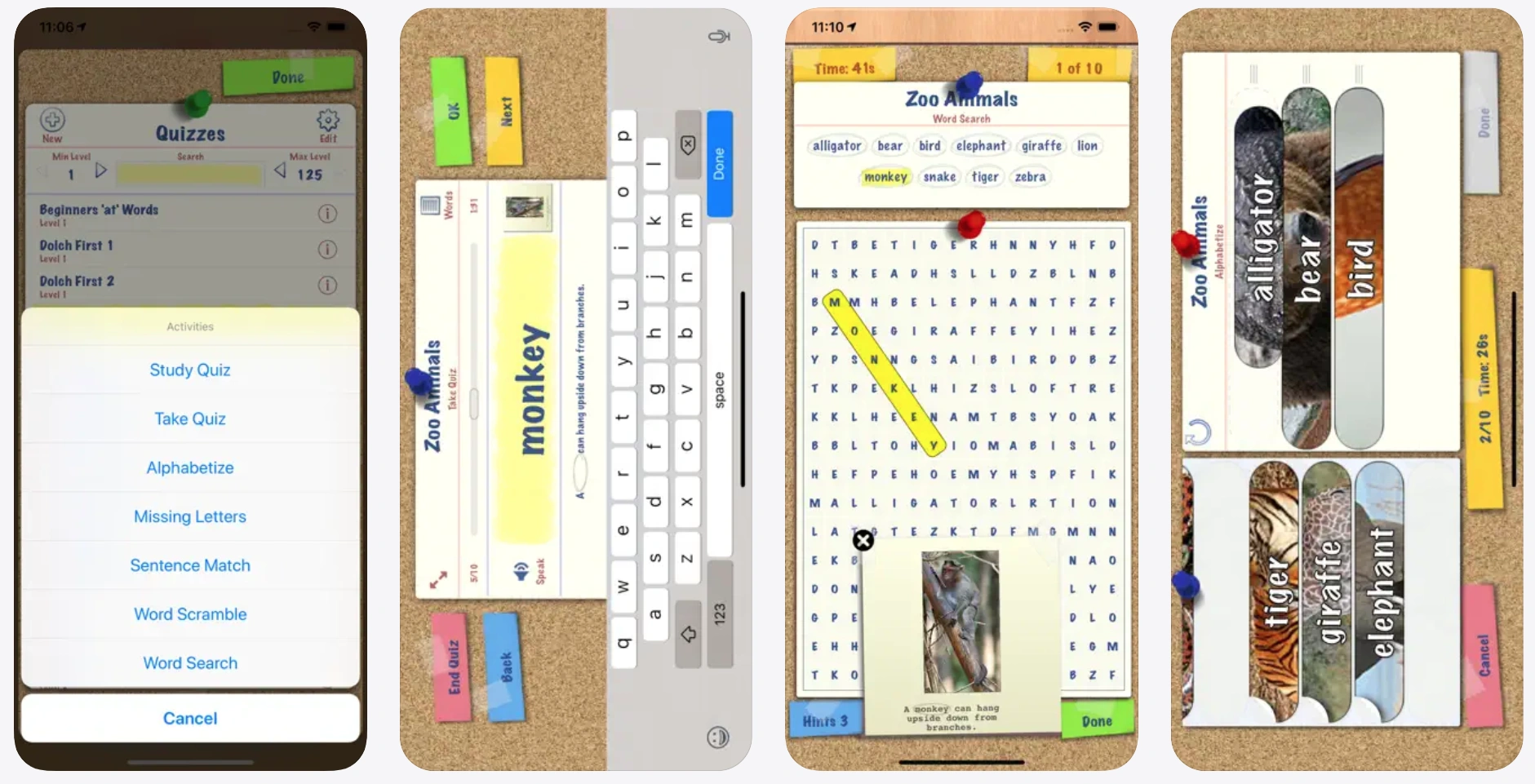
SpellBoard allows you to create your own quizzes. The app maintains a rather high rating among parents, particularly due to the scrambles with your custom words. You can even use an Apple Pencil to practice handwriting directly on the screen. But the interface is quite plain and lacks the exciting animations found in other apps.
Features
- Fun activities may include searches and crosswords
- Includes a built-in dictionary for word meanings and synonyms
Pricing
The app is a flat $4.99 one-time purchase (as of August 2026).
Pros & Cons
Even though manual entry is required, as users report, games still generate fast.
|
Pros |
Cons |
|
🟢 Multilingual support |
🔴 No ‘fun’ characters |
|
🟢 Very practical |
🔴 No automated curriculum |
Conclusion
Choose the right tool according to your family’s needs. If you want a ‘buy-once’ classic, Squeebles is a great pick. If you need a completely cost-free option, then Khan Academy Kids is a strong choice. For those preparing for a big competition, Word Club is among the best spelling practice apps available.
But if you’re looking for more than just digital drills, Brighterly is the ideal choice. We provide a human touch that software lacks, and help your child master literacy through:
- Personalized 1-to-1 attention from expert tutors
- A curriculum adjusted to your child’s specific goals
- Engaging and teacher-led phonics and decoding practice
Book free lesson and try our reading class for free!
Frequently Asked Questions
What Is the Best Free Spelling App for Kids?
The best free spelling app addresses children’s needs, learning style, and grade level to improve their spelling. Examples of such apps include Khan Academy Kids, Word Club, ABC Spelling, Scholar: Spelling Bee Quiz, and Sight Words & Spelling Reading.
How to Choose a Spelling App for Your Child?
To choose the most suitable spelling app for your kid, consider their needs and goals, including:
- Age and grade: Best spelling apps for 10-year-olds and 5-year-olds are very different in content and structure.
- App content: Your kid may learn faster with games, phonics practice, or within a personalized tutoring reading program.
- Special needs: For kids with dyslexia and other reading struggles, some spelling apps offer specialized assistance
- Customization: Some apps use pre-recorded content, while others offer custom word lists and quizzes.
- Spelling bee prep: For spelling bee practice, use specific apps like Scholar and Word Club.
Note: As only 31% of 4th graders scored at or above the NAEP Proficient level in reading (2024), getting a professional spelling tutor and a decent spelling app is important to help your kid excel at school.
Are There Spelling Apps Designed for Kids with Dyslexia?
Yes, apps like Nessy Reading & Spelling and a reading program for dyslexia from Brighterly offer dyslexia-friendly content. Additionally, Squeebles Spelling Connect offers the OpenDyslexic font to make its app more appealing for kids with dyslexia.
Which Spelling Apps Work Best for 3rd, 4th, and 5th Graders?
For third, fourth, and fifth-graders, consider spelling apps like Word Wizard, Squeebles Spelling Connect, and Spelling Shed, since all three support custom word lists and phonics games for kids at that grade level. SpellBoard is built specifically for this age group (Grades 4-6) and is the fastest option if you only need this week’s school list turned into a quiz. For extra support and more dedicated practice, consider live tutoring with an expert spelling tutor to guide your kid and deepen comprehension.
How Much Time Should Kids Spend on a Spelling App Each Day?
The time limit for an app depends on your specific learning needs, yet spending 10-15 minutes per day is generally enough for school-age children to substantially improve their spelling. Note that regularity is more important than the duration of a single session. Also, make sure to complement spelling app practice with other literacy strategies for kids.
What’s the Difference Between a Spelling App and a Live Spelling Tutor?
Spelling app practice is generally self-paced and relies on pre-recorded content, while live sessions with a spelling tutor are more structured and adjust in real time. Given the difference between the two modes of learning, it’s recommended to consider app and live tutoring practice in combination to reach better spelling results.



I know handwriting might seem like an archaic practice in today’s tech-filled world. The thing is, the human brain is still the same as it was decades ago – it still needs fine motor skills for proper development. That is why the question “How to help a child with dysgraphia?” remains relevant for parents. As […]

Jan 16, 2026
Brighterly is a tutor-led math & reading platform that provides personalized 1:1 lessons aligned with US state standards. Sylvan Learning and Huntington Learning Center are both physical and hybrid franchises offering comprehensive K-12 subject tutoring and test prep. This comparison breaks down their differences, shows how Brighterly may be the best for online learning, and […]

Jan 19, 2026
Math & reading from 1st to 12th grade
Exploring alternatives?
Take a short quiz!
Choose kid's grade