Speed Reading Apps: 10 Best Free & Paid Tools of 2026
reviewed by Laila A. Lico
Updated on September 7, 2026
Key Points:
- According to a 2025 World Bank report, students can increase reading speed by 13 to 23 words per minute over a school year.
- Speed reading apps can help by making reading fun and engaging as kids enjoy short exercises, mini-games, and highlighted text.
- Certain applications are more appropriate for particular uses, such as SwiftRead for reading comprehension skills, Outread for highlighted text, Spreeder for progress tracking, and ReadOwl for offline reading.
- AceReader, QuickReader, and Spritz are great if you’re looking for effective practice in middle and high school.
- Reedy, Readlax, and SpeedReader are some of the best apps to try if you’re looking for a free yet effective practice.
Speed reading apps help children learn how to read faster by turning repetitive tasks into fun-filled activities. These 10 options offer different strategies (RSVP, guided highlighting, Spritz-style one-word display, and drill-based training) to fit the preferences and needs of readers from grade 1 to adults. Find out their features, prices, and pros and cons to choose the best app for your kid. But before choosing a speed reading app, it also helps to know how your child performs against the average reading speed by age.
Start with a reading speed test to see the results.
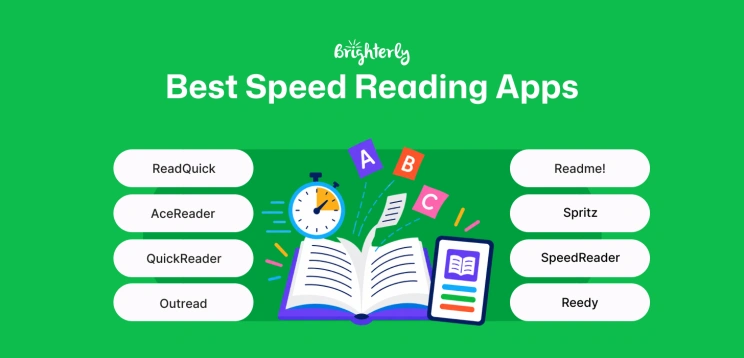
Best Speed Reading Apps 2026
Free Speed Reading Apps: Comparison
|
Age Group |
Features |
Technique |
Platforms |
What the Free Tier Includes |
Cost (August 2026) |
|
|
Spreeder |
Grades 1-12 |
Fun exercises, RSVP reading mode, works on tablets/phones/computers, progress tracking |
RSVP |
iOS Android Microsof
|
Free limited version (200 words) |
$67 lifetime |
|
Reedy |
Grades 1-12 |
Works with articles, eBooks, web pages, mini-games, 3 reading modes supported |
RSVP |
Android Desktop
|
Free download |
$3.91-$39.87/item for in-app purchases |
|
Readlax |
Grades 1-12 |
Different reading techniques, diverse reading exercises |
Word chunking Peripheral vision expansion Subvocalization reduction
|
iOS Android Chrome
|
Free basic version |
From $3.80/month (annual plan) |
|
SpeedReader |
Grades 1-12 |
Adjustable speed to meet individual needs, works with multiple content types, tracks progress |
Guided speed reading |
iOS Android
|
Entirely free |
Free* |
*From this list, SpeedReader is the only entirely free speed reading app where users can access all features and functions without paying. Meanwhile, Speeder, Reedy, and Readlax offer free basic versions, but families need to pay a one-time fee or a subscription to use all functionalities.
Paid Speed Reading Apps: Comparison
|
Age Group |
Features |
Technique
|
Platforms |
Cost (August 2026) |
|
|
SwiftRead |
Grades 1-12 |
Different reading techniques, import texts from multiple places, customizable experience |
RSVP Paced highlighting Guided word display
|
iOS Android Chrome Edge
|
From $10.00/month (annual plan) |
|
Outread |
Grades 4-12 |
Highlights text, adjustable highlighter, supports articles, books & documents |
Highlighting |
iOS iPadOS macOS
|
From $2.50/month (annual plan) |
|
AceReader |
All grades, including adult readers |
Learning new topics while improving reading, 13 levels, friendly interface, tracks progress |
RSVP Eye pacing drills
|
Desktop |
From $3.25/month (annual plan) |
| QuickReader
|
Grades 8-12 |
Adjustable speed, fonts & colors, works with its own book collection of 2 million titles, and encourages daily reading |
RSVP
|
iPadOS |
$4.99 lifetime |
| ReadOwl |
Grades 1-12 |
Spritz technology-based, customizable interface, engaging experience |
Spritz speed reading |
iOS |
$24.99 lifetime
|
| Spritz |
Grades 11-12 |
One-word-at-a-time reading improves focus, encourages less eye movement, works best in short daily sessions |
Spritz speed reading |
iOS Android
|
From $2.50 (annual plan) |
*The pros and cons of the apps below were identified by analyzing features and pricing information from official websites and by reviewing verified user feedback from trusted sources, including app stores, review platforms, and educational communities.
Exploring alternatives?

Explore Brighterly Learning Experience
Learn exactly how Brighterly helps students thrive through expert sessions, online tools, and proven feedback from thousands of satisfied parents
SwiftRead
Age group: 6+
Device compatibility: iOS, Android, Chrome browser, and Edge browser
Best for: Different types of readers who need support in increasing speed
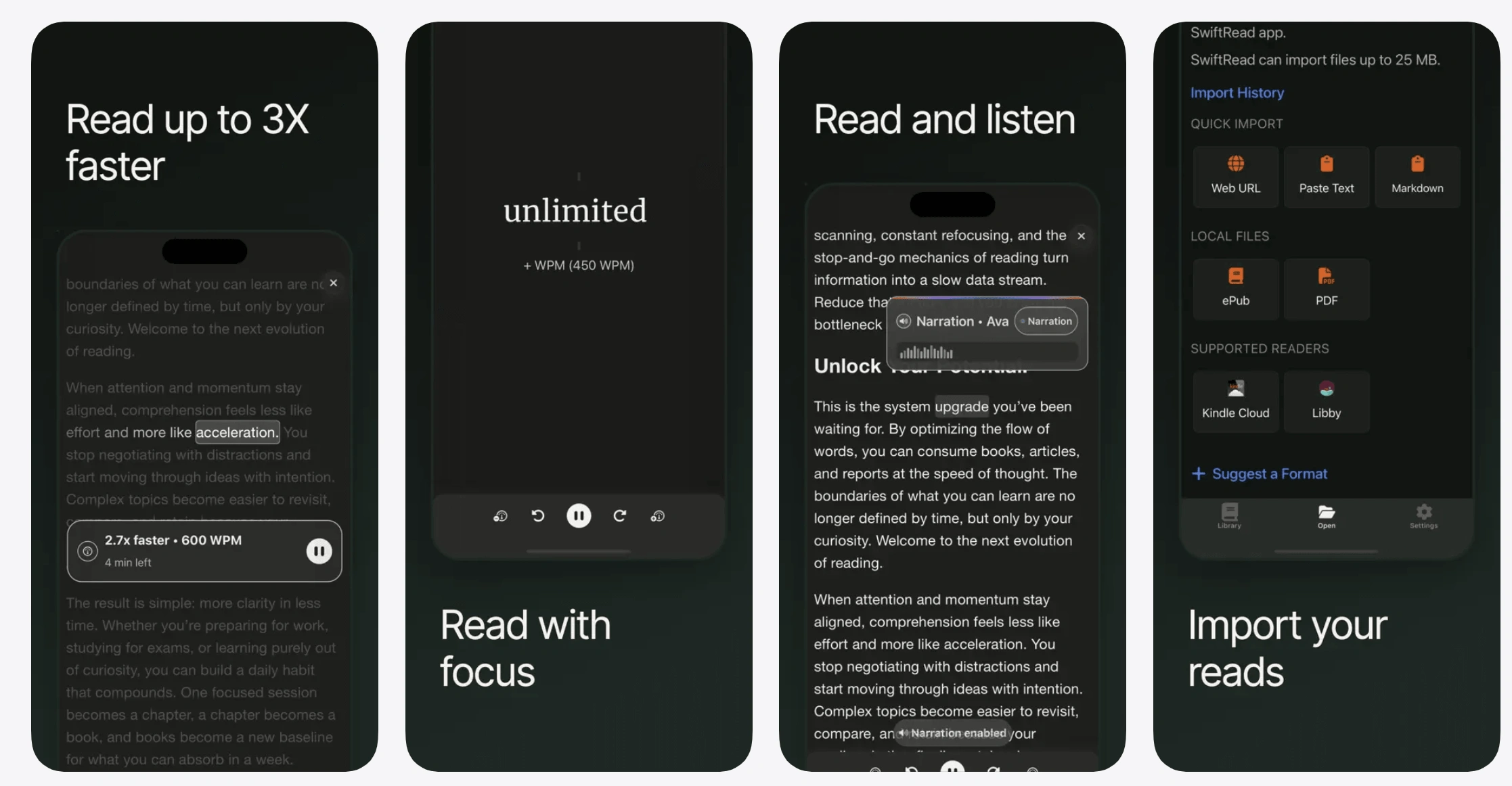
SwiftRead helps students of all ages as well as adults improve their reading speed, comprehension, and focus. According to information on the vendor’s website, the speed reading program uses science-backed techniques that can help you read up to three times faster. The app features RSVP, paced highlighting, and guided word display. The multi-strategy approach to supporting reading skills makes SwiftRead one of the top options for families.
SwiftRead Features
- Combines different reading techniques for diverse students
- Can work with uploaded documents or web-based readers
- Comes with a customizable interface and experience
SwiftRead Pricing
- Monthly: $19.99
- Quarterly: $44.99 ($15.00/month)
- Annual: $119.99 ($10.00/month)
*As of August 2026
SwiftRead Pros and Cons
|
Pros |
Cons |
|
Combines multiple reading techniques |
No library of content |
|
Allows text import from different sources |
Not specifically designed for children |
|
iOs and Android compatibility |
No free trial or version |


1:1 personal support from $17.70/lesson!
Our reading tutors tailor instruction & practice to your child’s unique needs.
Outread
Age group: 9+
Device compatibility: iOS, iPadOS, and macOS
Best for: Interactive reading exercises following along with highlighted text (highlighting technique)
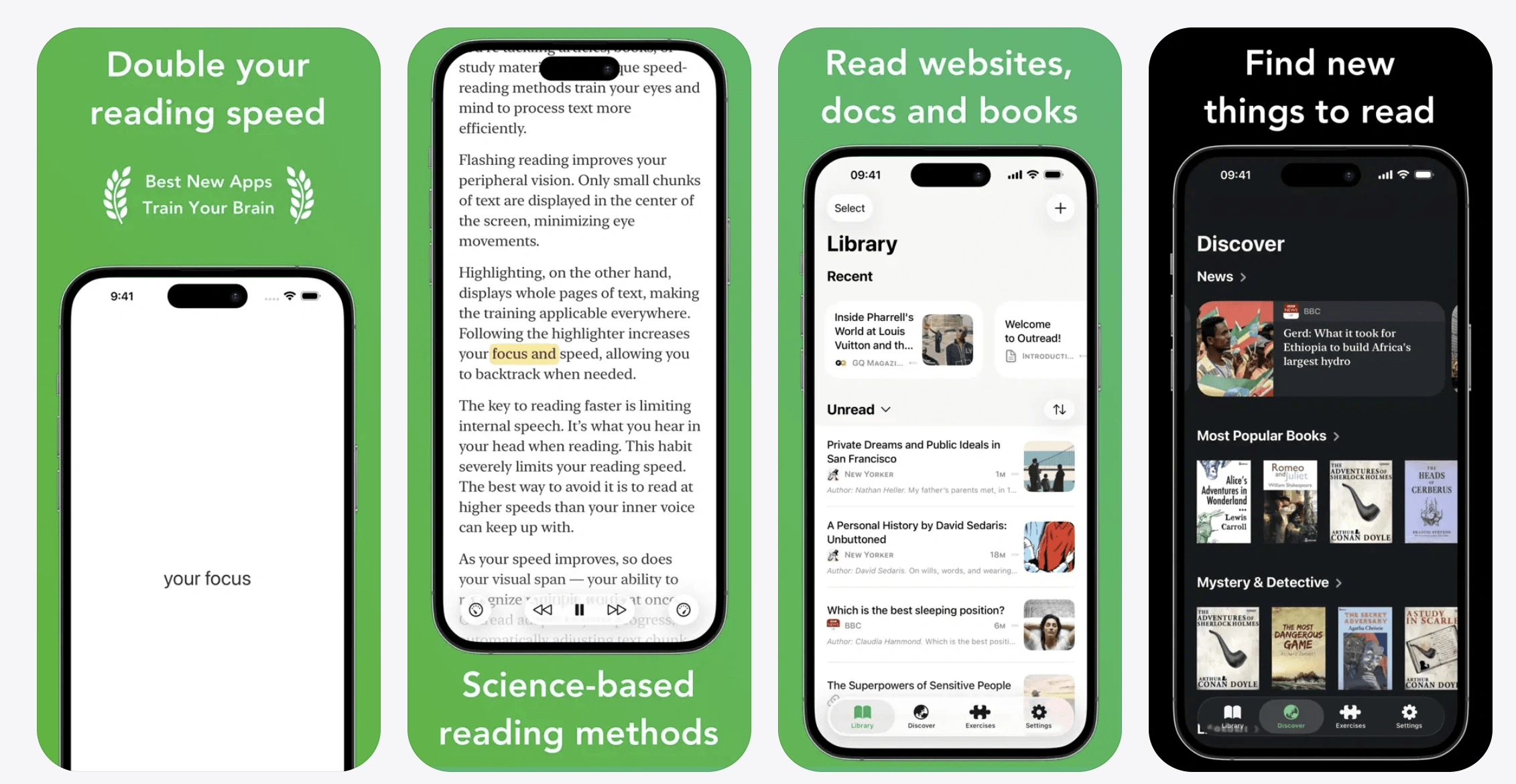
Outread highlights text so children can easily follow along, helping them stay focused while reading and enjoy the story. This speed reading software is ideal for online practice, letting kids read books, articles, or documents while seeing how well they’re improving. The adjustable highlighter ensures each child can read at a comfortable pace without losing track of what they are reading and what it means.
Outread Features
- Highlights text for easier and more focused reading
- Works with articles, books, and documents
- Keeps kids engaged with interactive exercises
Outread Pricing
- Weekly: From $2.99
- Monthly: From $4.99
- Annual: From $29.99 ($2.50/month)
- Lifetime: From $119.99
*As of August 2026
Outread Pros and Cons
|
Pros |
Cons |
|
Highlights text to guide reading |
Limited to iOS devices |
|
Engaging and interactive reading experience |
Best for short to medium-length texts |
|
Bookmarks text and adds notes |
Doesn’t include advanced speed reading training |
Spreeder
Age group: 6+
Device compatibility: iOS, Android, and Microsoft
Best for: Regular reading practice with fun exercises and progress tracking
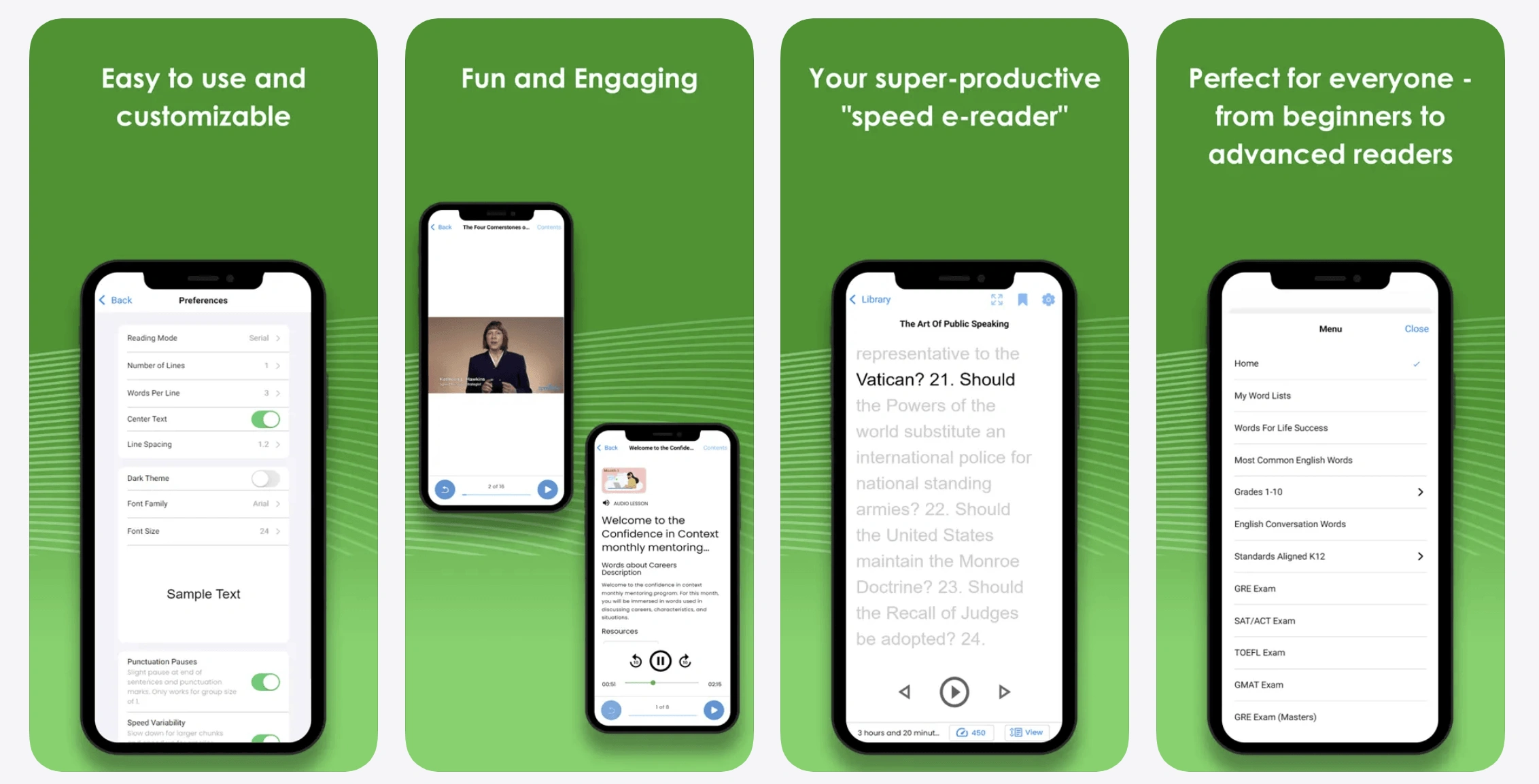
Spreeder is one of the best speed reading apps for children who want to practice consistently and to work on speed and comprehension simultaneously. The app has a rich content library and allows personalized reading goals. Parents can easily track their child’s progress, making it simple to celebrate every improvement. You also get access to dedicated tools that support comprehension boosts.
Spreeder Features
- Offers an RSVP reading mode for easier word tracking
- Works on tablets (Android and iPad), phones, and computers
- Provides progress tracking to see results over time
Spreeder Pricing
- Free limited version
- Lifetime: $67 for full access
*As of August 2026
Spreeder Pros and Cons
|
Pros |
Cons |
|
RSVP mode helps follow words easily |
No monthly/annual subscriptions |
|
Tracks progress so kids can see improvement and achieve their best speed reading |
Limited offline options |
|
Diverse content library |
May feel repetitive for older kids |
Spreeder Alternatives
Spreeder is a strong choice for regular practice and progress tracking, but another app may suit your child better depending on their reading habits, preferred technique, and your budget. Here are three Spreeder competitors (including a Spreeder free alternative) already covered in this list:
- Outreach: Better for children who find it easier to stay focused when text is visually highlighted and paced as they read.
- Readlax: A good Spreeder alternative for students who need varied exercises that work on reading speed alongside focus, memory, and habit building.
- SpeedReader: Best for families looking for a Spreeder free alternative with adjustable reading speeds, progress tracking, and the option to practice using their own PDFs and web content.
When choosing, consider which reading metod keeps your child engaged consistently rather than relying on the advertised maximum reading speed alone.
AceReader
Age group: All
Device compatibility: Web-based
Best for: Children who need to minimize subvocalization and regression

AceReader helps children of all ages improve reading skills without feeling overwhelmed. The app is perfect for children who want to improve steadily and build confidence in their reading skills. The speed reading website offers 1,000+ reading tests and features different themes, such as American history, science, space, fun facts, and SAT prep. The app offers distinct products for schools, families, and individual learners.
AceReader Features
- Combines academic learning with reading skill improvement
- Offers reading tests to check progress
- Features an easy-to-use interface
AceReader Pricing
- Family Edition: From $59/year ($4.92/month)
- Personal Edition: $39/year ($3.25/month)
- Classic Desktop: $69.95/year ($5.83/month)
*As of August 2026
AceReader Pros and Cons
|
Pros |
Cons |
|
Fit for the whole family |
No monthly plans |
|
Multiple educational topics to read about |
No mobile app |
|
Availability of reading tests |
Some features may be too simple for advanced readers |
If your child needs extra help, private tutoring might be the answer.
Individualized 1:1 reading sessions for K-12!
Brighterly teachers combine academic learning with fun activities to keep your kid motivated.
QuickReader
Age group: 13+
Device compatibility: iPadOS
Best for: Kids who love reading different books
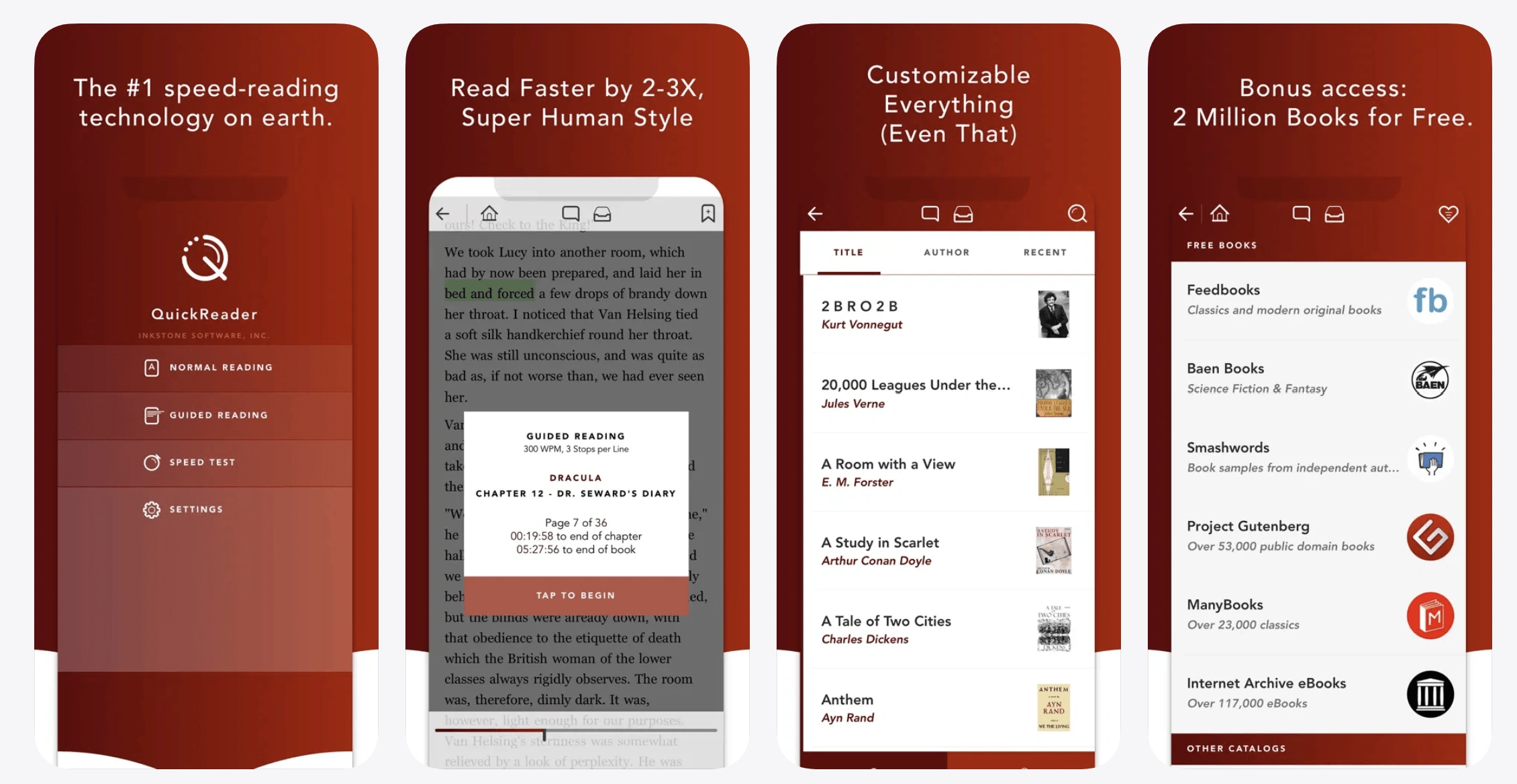
QuickReader has a library of 2 million books, while allowing kids to adjust the background color, font size, and reading speed to read comfortably. The speed reading app helps children read more quickly, enjoy stories, and feel proud of their accomplishments. Available reading materials include novels, how-to books, self-improvement guides, business reports, and others. Parents can track reading habits and easily add new books to keep the experience exciting.
QuickReader Features
- Comes with adjustable speed, fonts, and colors make reading easy on the eyes
- Lets children read books they love, keeping motivation high
- Encourages daily reading habits in a fun way
QuickReader Pricing
- One-time purchase: $4.99
*As of August 2026
QuickReader Pros and Cons
|
Pros |
Cons |
|
Lets kids read books they already enjoy |
One-time purchase, no subscription updates |
|
Encourages daily reading habits |
Designed for iPad only |
|
2 million free books |
Not focused on advanced reading techniques |
Reedy
Age group: 6+
Device compatibility: Android and web-based
Best for: Students who want RSVP practice with articles and eBooks
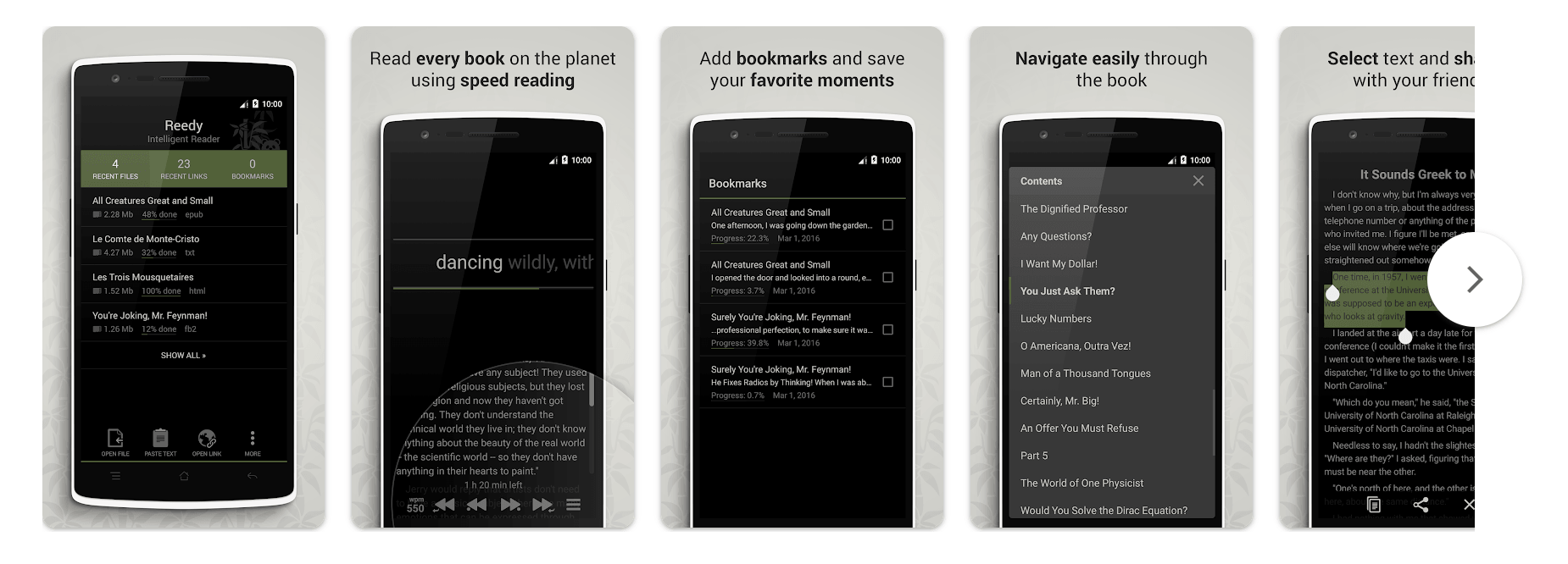
Reedy features regular reading, speed reading, and text-to-speed. Kids can explore new topics or enjoy their favorite stories while gradually increasing their reading speed. With Reedy, you can switch between regular reading and speed reading, and you can adjust the speed with volume buttons. You can download the fast reading app on any Android device; there is also a Chrome extension version.
Reedy Features
- Supports many types of content: articles, eBooks, and web pages
- Provides different reading modes
- Is based on the RSVP technique
Reedy Pricing
- Free to download
- In-app purchases: $3.91-$39.87/item
*As of August 2026
Reedy Pros and Cons
|
Pros |
Cons |
|
Works with articles, eBooks, and web pages |
Restricted to RSVP only |
|
Multiple reading types |
In-app purchases needed for full access |
|
Bookmarks available |
No real-time support |
ReadOwl
Age group: 6+
Device compatibility: iOS
Best for: Offline speed reading
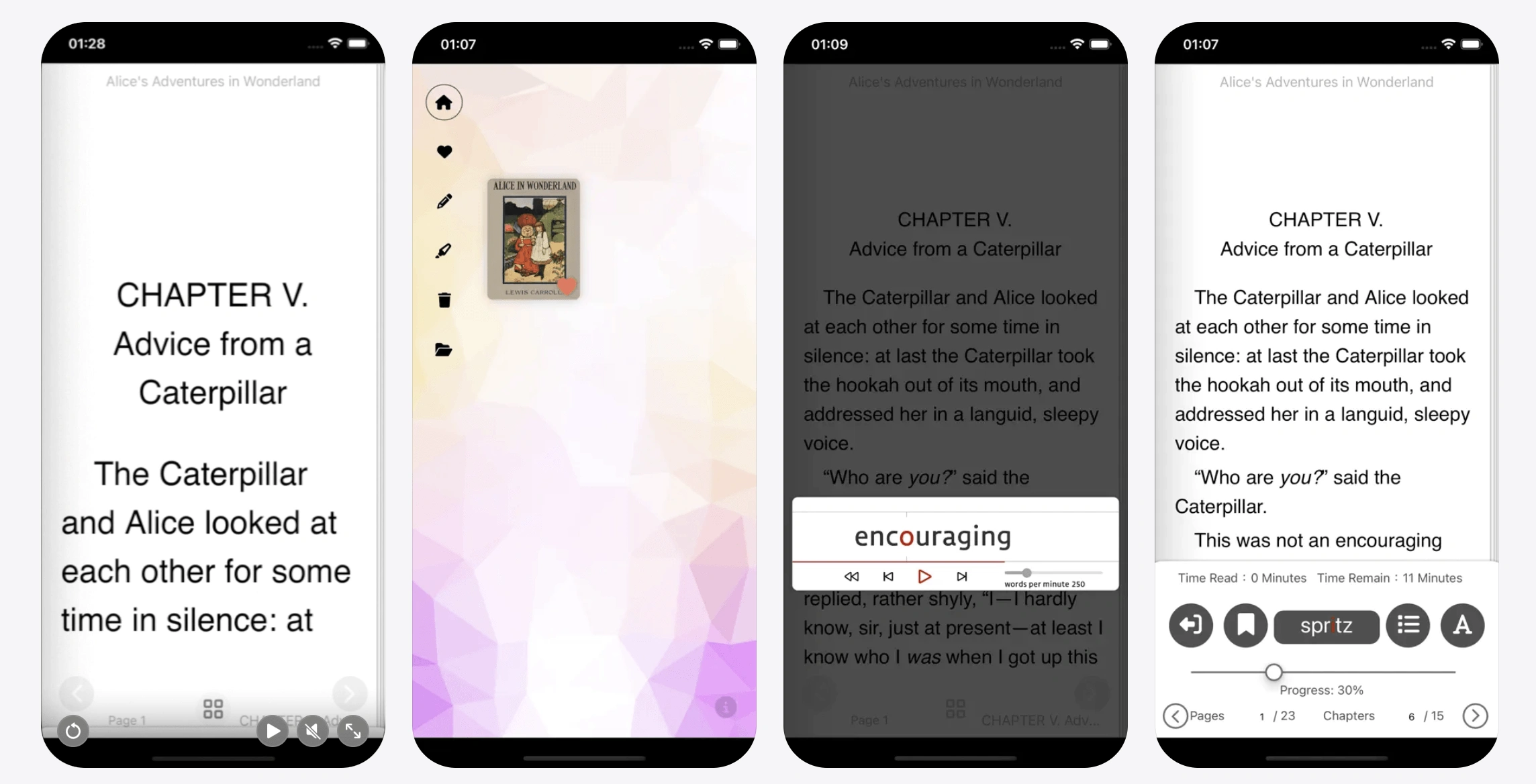
ReadOwl uses Spritz technology to help kids improve different types of reading skills. Spritz refers to a reading technology that displays one word at a time in a fixed spot on the screen. ReadOwl is the best speed reading app for offline usage. Readers can customize colors, line height, fonts, text size, and text alignment to align with their personal preferences. Additional features that help build reading skills include bookmarking, taking notes, and guided highlighting.
ReadOwl Features
- Offers both online and offline reading modes
- Is based on the Spritz reading technology
- Helps children stay engaged without losing comprehension
ReadOwl Pricing
- Lifetime: $24.99
*As of August 2026
ReadOwl Pros and Cons
|
Pros |
Cons |
|
Can be used offline |
Limited to iOS devices |
|
Customizable reading experience |
Used with books only |
|
Bookmarking features |
No free trial or version to test |
Spritz
Age group: 16+
Device compatibility: iOS and Android
Best for: Improving focus and reading speed with a one-word-at-a-time display
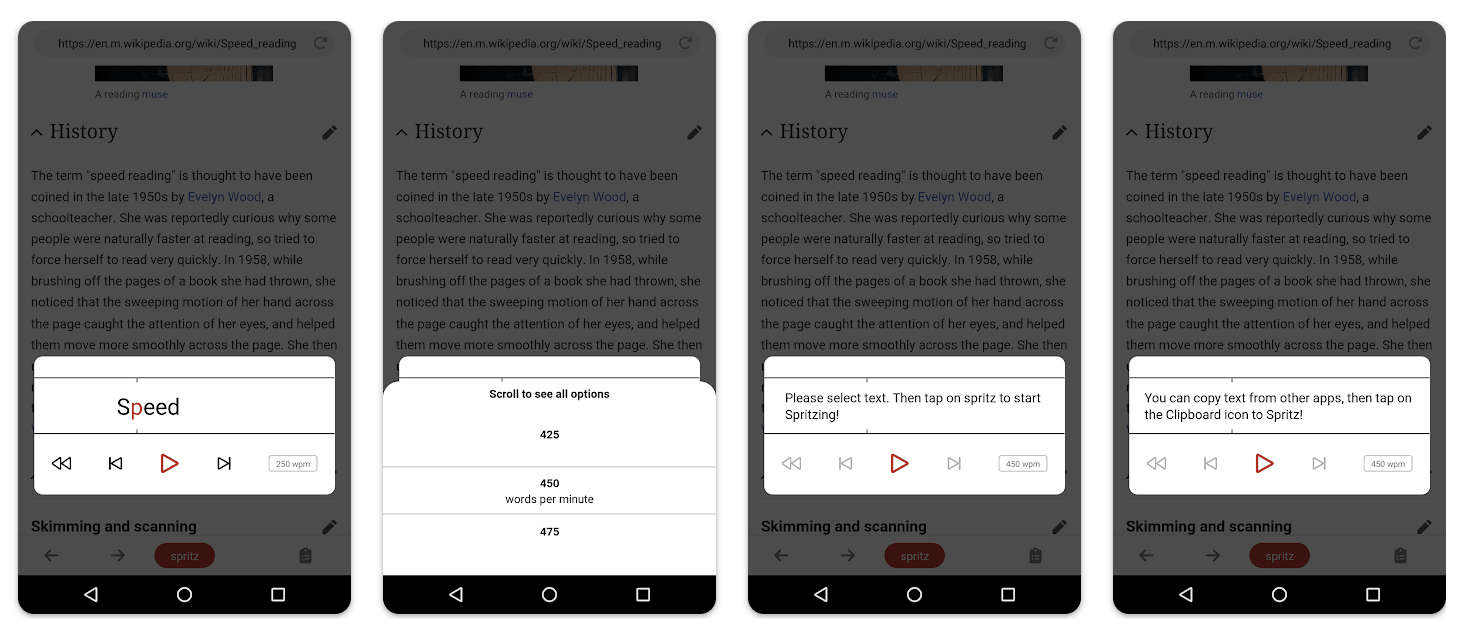
Spritz is different from other speed reading tools as it scans online text, after which it reads the text at a speed of up to 1,100 WPM (according to the app page on the Apple App Store) while displaying a single word at a time. The vendor’s page claims that this one-word display technique trains the brain to read up to twice faster. By seeing one word at a time in the center of the screen, readers move their eyes less and get tired less. The Spritz reading speed trainer works with both short-form content (like news and reports) and longer-form texts (such as novels and science books).
Note: The term “Spritz” has two meanings when it comes to speed reading: 1) A reading technology used by apps like ReadOwl and 2) a standalone app with the same name.
Spritz Features
- Displays one word at a time to keep focus sharp
- Is ideal for short, daily reading sessions
- Helps readers stay engaged without skipping lines
Spritz Pricing
- Monthly: $2.99
- Annual: $29.99 ($2.50/month)
- 2-week free trial
*As of August 2026
Spritz Pros and Cons
|
Pros |
Cons |
|
Focused one-word reading improves concentration |
Mostly for short reading sessions |
|
Reduces distractions for better comprehension |
Limited customization options |
|
Works with different online texts |
Doesn’t include interactive games |
Readlax
Age group: 6+
Device compatibility: iOS, Android, and Chrome
Best for: Speed reading combined with habit building and memory boosting
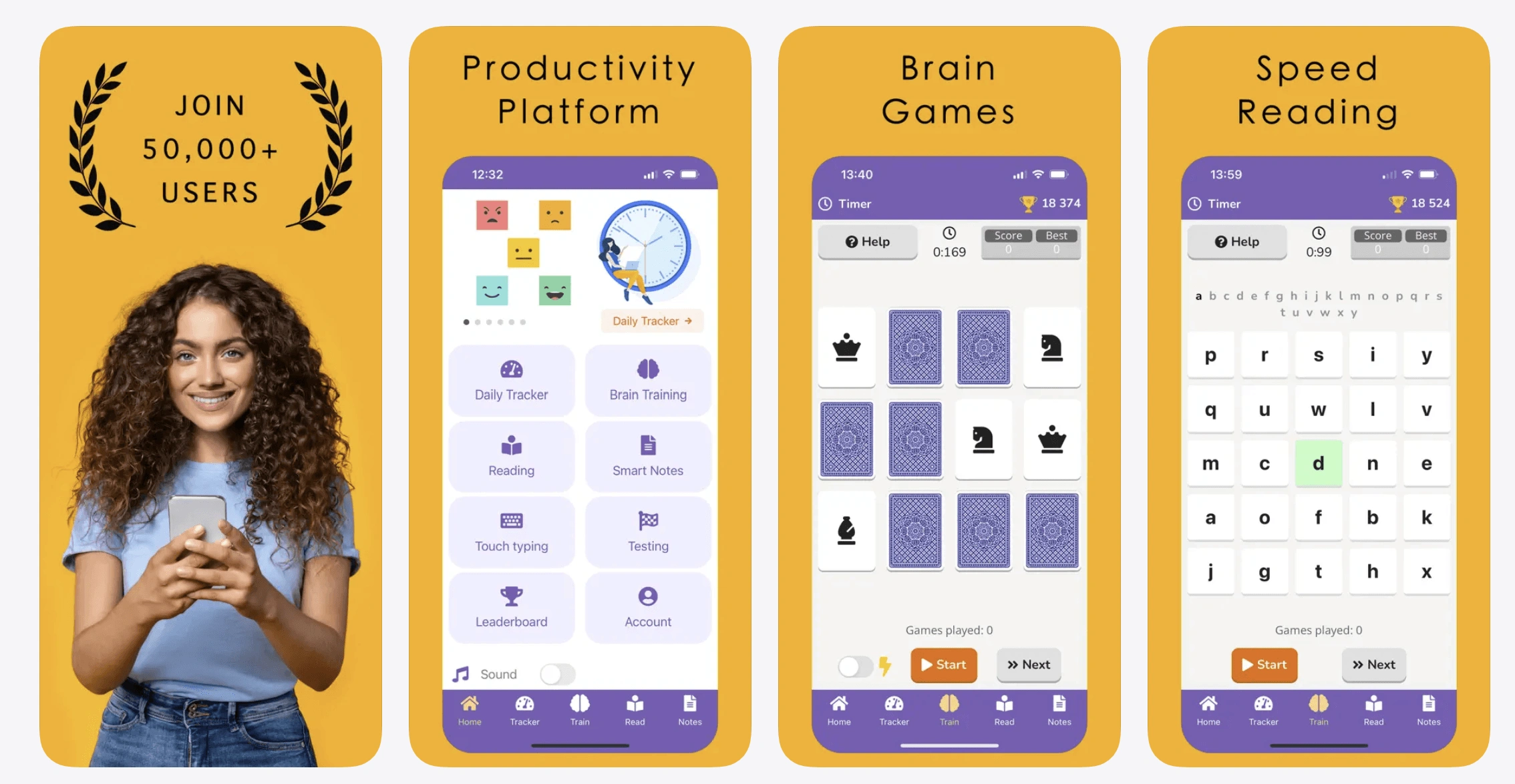
Readlax helps train the brain like a muscle, which works on reading speed, focus, memory, and habits all at the same time. The speed reading tool features subvocalization, letter grid, bigram, and trigram as popular techniques for improving reading capabilities. The app is available for both iOS and Android devices and is one of the best options for families because it trains several important skills at once.
Readlax Features
- Provides a range of different techniques to support faster reading
- Works together on reading speed and reading comprehension
- Provides a library of various reading exercises
Readlax Pricing
- Free basic version
- Pro monthly: $8.99
- Pro annual: $44.99 ($3.80/month)
- Pro lifetime: $199.99
*As of August 2026
Readlax Pros and Cons
|
Pros |
Cons |
|
Range of reading exercises |
Potentially limited content library |
|
Supports different reading techniques |
No RSVP focus |
|
Available for different devices |
Full feature access requires payment |
SpeedReader
Age group: 6+
Device compatibility: iOS and Android
Best for: Guided speed reading with adjustable WPMs

SpeedReader works both on reading speed and reading comprehension, which makes it a good fit for readers who struggle with both. With this free speed reading app, you can choose from built-in texts (working like free reading worksheets) or your own content to match your child’s interests to boost motivation. The app available for iOS and Android devices allows you to customize settings to your kid’s comfort while helping them read faster and comprehend more.
SpeedReader Features
- Tracks progress so kids can see improvement
- Supports importing or extracting text from PDFs and web pages for flexibility.
- Encourages daily reading practice in a fun way
SpeedReader Pricing
- Free
*As of August 2026
SpeedReader Pros and Cons
|
Pros |
Cons |
|
Endless variety of texts |
Mostly suitable for short reading sessions |
|
Adjustable reading speed range |
Focused on guided speed reading only |
|
Progress tracking for parents |
No interactive story elements |
When speed reading apps alone are not enough, private tutoring can help you identify the specific gaps that are slowing down your child and work out a tailored reading plan to address them. Our 1:1, personalized K-12 program complements self-guided apps with real teacher support. We match your kid with the right tutor who customizes reading materials to your child’s unique needs and applies appropriate techniques that build reading speed to support skill development and a confidence boost. Our reading and writing classes align with the US state standards to help your kid succeed at school.
Speed Reading Apps vs Speed Reading Software: What’s the Difference?
Speed reading apps, software, and browser extensions all serve the same general purpose of helping kids read faster but differ in how you access and use them. The best format depends on where your child prefers to read and practice.
Phone and tablet apps are convenient for reading anywhere. For example, ReadOwl works on iPhone and iPad and supports offline reading, making it useful for children who want to practice away from the computer.
Speed reading software refers to programs installed or run on a computer. However, a speed reading program can also be cloud-based, not requiring installation on your device. For example, AceReader is a speed reading website that runs directly in a browser, so you can use it on any device.
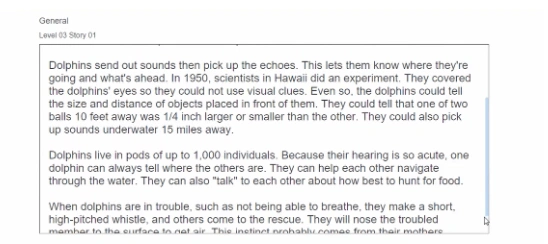
Browser extensions integrate reading tools with online content. SwiftRead has extensions for Chrome and Edge that can open texts from webpages and PDFs directly in its reader. This functionality is convenient for students who do most of their reading online.
You may also encounter the term speed reading machine, which is an older or broader label for tools that control how quickly text is presented. Currently, apps and software perform the same functions digitally.
How to Choose a Speed Reading App
When selecting the best apps to improve the reading speed of your child, you need to consider both your kid’s needs and the app’s functionalities. Focus on the following factors:
- Age group: Choose an app designed for your child’s grade to match their level and interests.
- Reading technique: Match the reading technique to your kid’s learning habits and preferences, whether Rapid Serial Visual Presentation (RSVP reader), bionic reading, highlighting, or chunking would be most appropriate.
- Reading comprehension vs speed focus: Consider whether your child needs to improve reading comprehension too or just reading speed. The 2023 Technology in Education report by UNESCO highlights the correlation between reading speed and comprehension and the need to work on both issues simultaneously.
- Special needs alignment: Reading fast with dyslexia or ADHD is challenging. If your child has a learning difficulty, look for an app that provides specialized assistance, like a speed reading app that shows one word at a time. Or, in such cases, it’s better to turn to a professional who specializes in reading disabilities.
- Progress tracking: Opt for an app that allows you to track your kid’s progress so that you know whether they are learning fast enough or if you need to look for further intervention.
- Device compatibility: Make sure the app works on your device, whether iOS or Android.
- Pricing: With both free and paid options, choose an app that matches your budget so that you can afford it for as long as needed.
Frequently Asked Questions
What’s the Best App to Learn to Speed Read?
The best speed read app options are SwiftRead and Readlax as they implement a comprehensive approach to faster reading. SwiftRead supports reading speed, comprehension, and focus simultaneously through science-driven techniques that work on different types of students. Readlax helps boost memory and build good habits in addition to helping users read faster which develops better studying skills.
Are Speed Reading Apps Effective for Kids?
The effectiveness of a read faster app depends on its age suitability and features. When choosing the best fit for your child, you need to look for apps designed for the specific age group. For example, reading apps for younger learners feature attractive colors and fun cartoons, while those for older students prioritize reading comprehension and notetaking features over entertaining design.
What Is RSVP Reading and How Does It Work?
The Rapid Serial Visual Presentation (RSVP) technique facilitates faster reading by flashing one word at a time at exactly the same spot on the screen. This speed reading method eliminates the need to move eyes across the page and move between lines, which makes reading more comfortable and faster. Many speed reading apps use this technique to help kids absorb more text in less time.
Can Speed Reading Apps Improve Reading Comprehension?
Reading speed and reading comprehension are two different skills that are equally important but work differently and need varying approaches. Still, some apps like SwiftRead, Spreeder, and Readlax have features that develop both skills at the same time, which makes them a suitable choice for children who need to work on the two areas.
What’s the Difference Between Free and Paid Speed Reading Apps?
Free reading apps usually have basic features which allow kids to read faster through the RSVP or subvocalization technique. Paid apps, on the other hand, include features that train children to improve reading speed in the long term, that allow parents to track progress, and that work offline.
Which Speed Reading Apps Work on Android?
Some apps for learning speed reading that work on Android devices include SwiftRead and Spritz. Spreeder, Reedy, Readlax, and SpeedReader also allow your child to develop their skills to read fast on Android, and some of their functionalities are available for free.
How Fast Can Kids Realistically Read with a Speed Reading App?
In most cases, parents can expect gradual improvements rather than dramatic jumps in reading speed when their kids use apps. A 2025 World Bank report cites that children can increase accurate reading speed with 13 to 23 additional words per minute with targeted interventions over the course of a year. Generally, the best apps support steady reading fluency development aligned with WPM benchmarks by grade instead of promising extreme WPM increases.
Is Spreeder Free?
As of August 2026, Spreeder provides a free basic version of the speed reading app where users can paste and read up to 200 words at a time. To unlock all advanced features that include unlimited text and 52 file formats, you can get lifetime access to Spreeder for $67.

The Russian School of Mathematics (RSM) — a popular choice for after-school math learning — earns mixed-to-positive feedback from families. The score is not monolithic — some appreciate the RSM intensive, traditional math curriculum, others describe it as heavy on children with no obvious benefits. Rating methodology: We evaluate curriculum and teaching approach, workload and […]

Oct 13, 2025

Starfall is a popular educational program, designed over 20 years ago, to teach children how to read. If you’re looking for reviews of Starfall to decide whether it remains a relevant choice in 2026, this article aims to answer most of your questions. Here, as a teacher, I’ve gathered Starfall reviews with insights on user […]

Oct 14, 2025
Math & reading from 1st to 12th grade
Exploring alternatives?
Take a short quiz!
Choose kid's grade